elmeg IP630 / en / elmeg IP630 / directories.fm / 8/24/16
Template bintec-elmeg, Version 1, 01.07.2014
23
elmeg IP630
bintec elmeg Directories
Directories
The options are:
• Local directory
• Company directory ( page 25)
Local directory
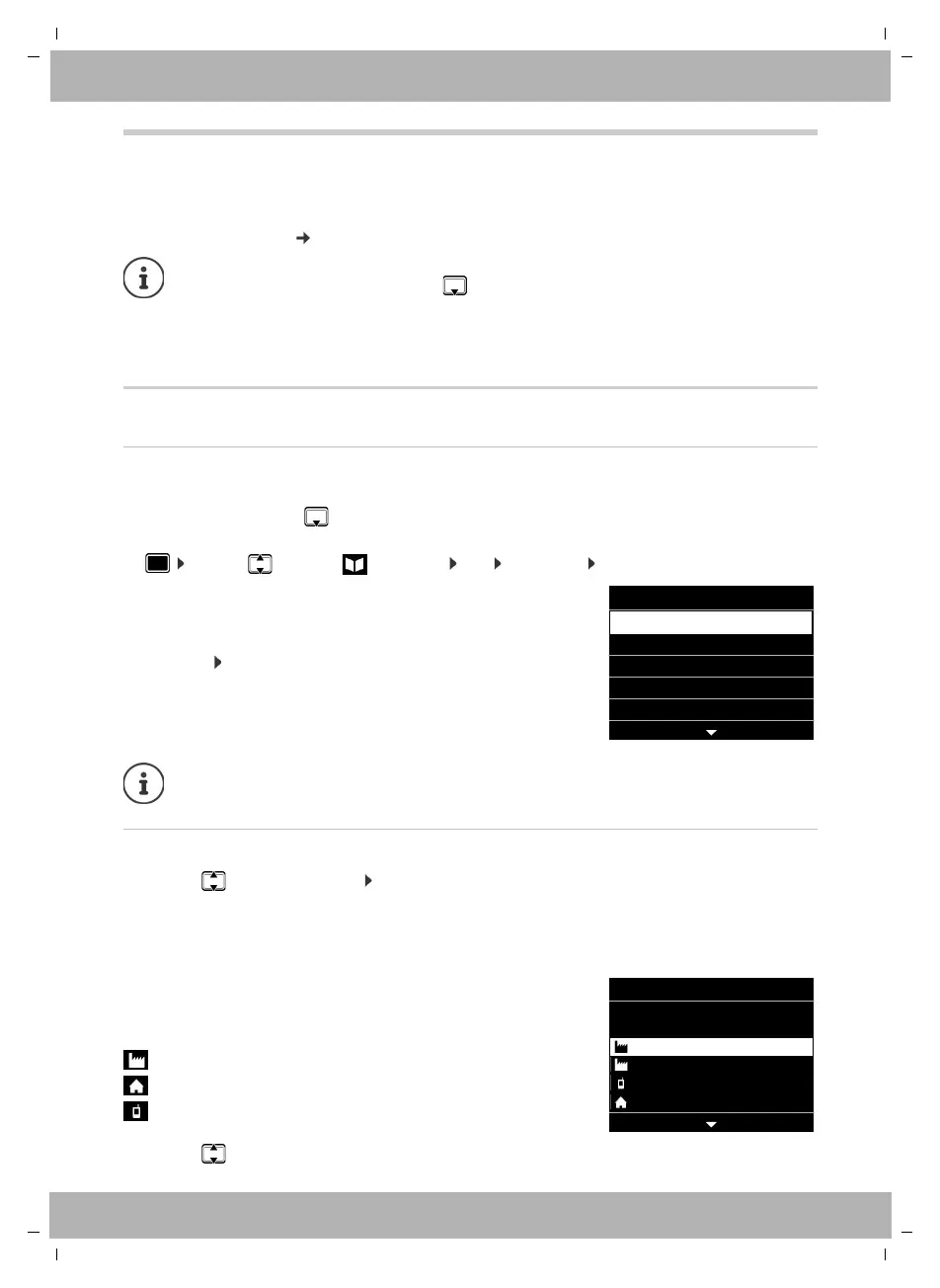
Opening the directory
In idle status:
¤ Press the Control key
or
¤ . . . use to select Contacts OK Directory OK
Displaying a directory entry
¤ . . . use to select an entry View
or
¤ enter the first letter of the name . . . the first entry which starts with that letter is displayed
A directory entry can contain the following information:
¤ . . . use to scroll through the directory entry
The local directory is pre-set as a standard directory. That means that it is the directory
that is opened with the Control key and into which entries are copied with the
"Copy to directory" function.
The administrator can make another directory, such as the company directory, the
standard directory.
The entries are shown in alphabetical order and are sorted
by last name by default.
Change sort order:
¤ Options Sort by First Name or Sort by Surname
If an entry does not include a name, the first phone number entered is stored and
displayed as the last name.
• First name and last name: (max. 16 characters each)
• Up to six phone numbers (max. 32 digits each)
Two numbers can be assigned to the following categories:
work numbers (Phone Office 1/2)
private numbers (Phone Home 1/2)
mobile numbers (Phone Mobile 1/2)
OptionsView
Directory
Brown, Susan
Fischer, Alexander
Meyer, Peter
Oscar
Smith, Elisabeth
OptionsEdit
View Entry
1: 08912345678
2: 004456565656
1: 01231234567
1: 089998877665
Susan
Brown



 To Next Page