elmeg IP630 / en / elmeg IP630 / operating.fm / 8/24/16
Template bintec-elmeg, Version 1, 01.07.2014
9
elmeg IP630
bintec elmeg Getting to know your telephone
Using the telephone
Getting to know your telephone
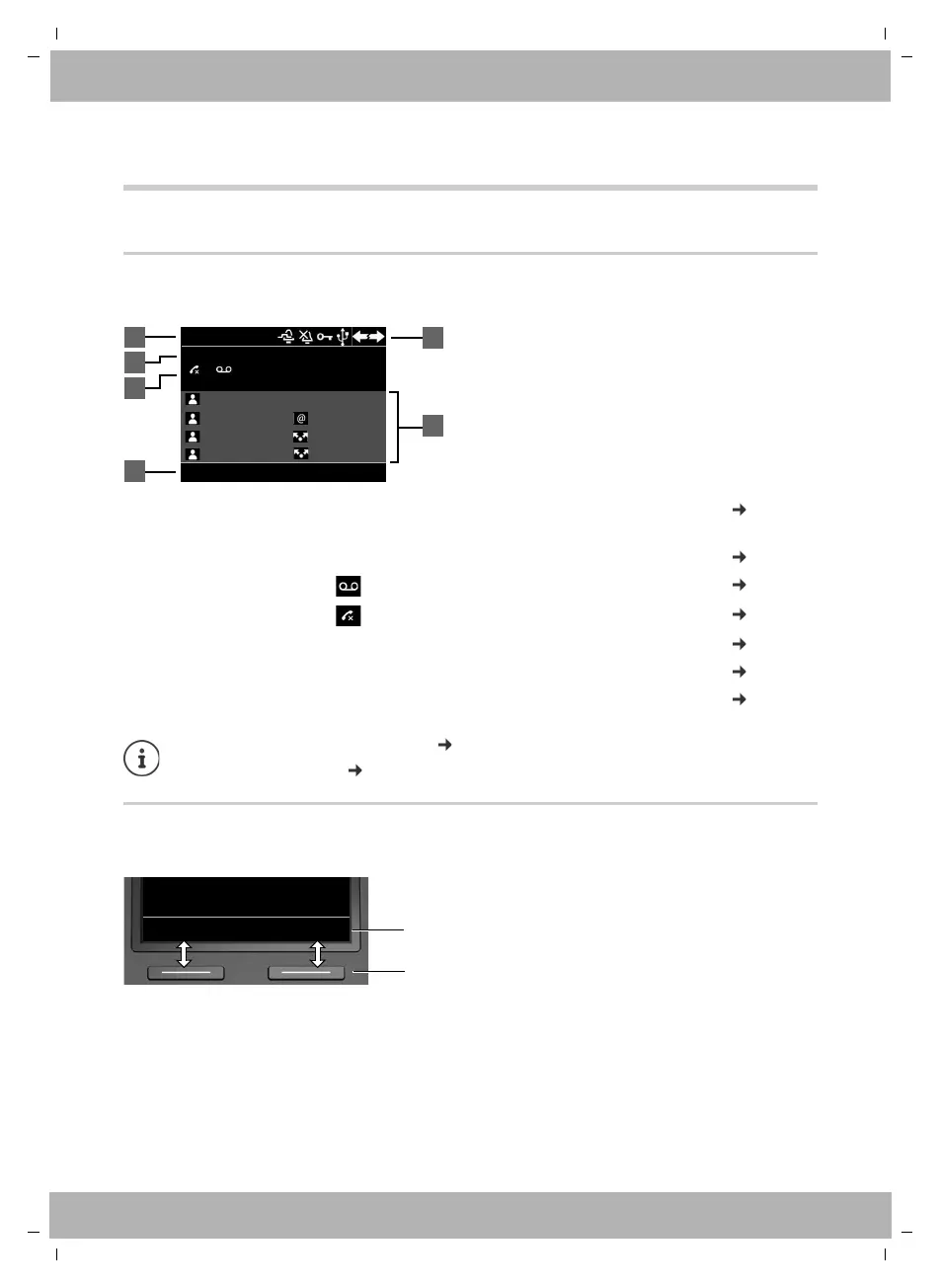
Display
Display in idle status (example):
Display keys
The display keys perform a range of functions depending on the operating situation.
1
Name of the standard connection, possibly abbreviated (is allocated by the
administrator e. g. extension and/or name of the telephone user)
page 13
2 Date and time page 26
3 Message display: New messages on the answer machine page 22
Missed calls page 20
4 Display key functions page 9
5 Status icons page 43
6 Assignment of the function keys page 10
Setting/modifying display colours: page 29
Setting date and time: page 26
Select LineRedial
4
5
415
6
12:1501/04/2016
Martin
Pat
BLF 1
Peter
IP1
IP2
Susan B. Group 1
10 Ben
1
2
3
Back OK
Current display key
functions
Display keys



 To Next Page