elmeg IP630 / en / elmeg IP630 / symbols.fm / 8/24/16
Template bintec-elmeg, Version 1, 01.07.2014
43
elmeg IP630
bintec elmeg Display icons
Display icons
The following icons are displayed depending on the settings and the operating status of your
telephone.
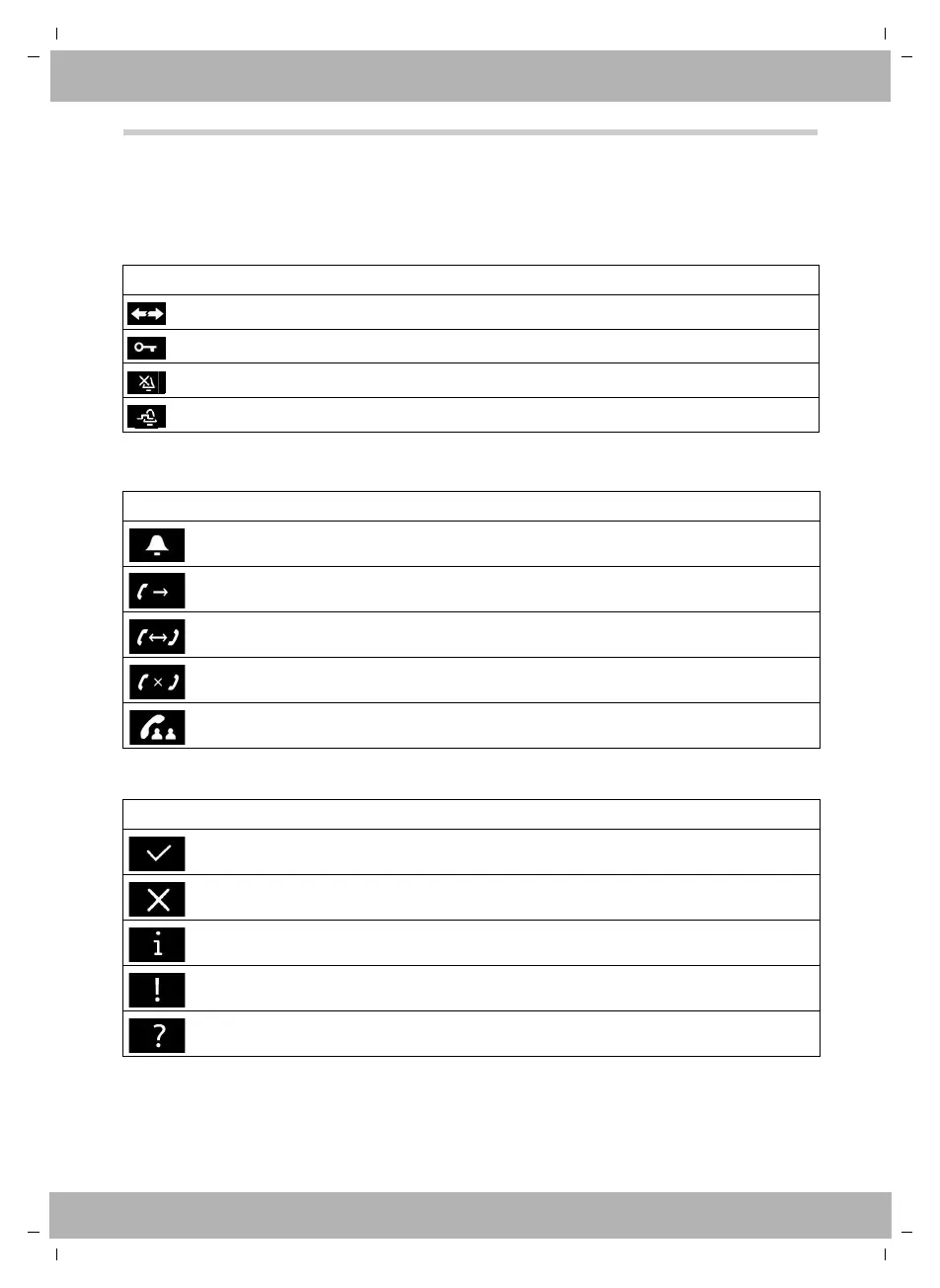
Icons in the status bar
Display icons to indicate . . .
Other display icons
Icon Meaning
No VoIP connection
Keypad lock activated
Ringtone deactivated
Beep function activated (ringtone deactivated)
Icon Meaning
Incoming call
Establishing a connection (outgoing call)
Connection established
No connection established/connection terminated
Conference established
Icon Meaning
Action complete (green)
Action failed (red)
Information
Warning
(Security) prompt



 To Next Page