ET8/480, ET8/480S and ET8/480PT - TECHNICAL MANUAL - 27
10. GENERAL RESET
10.1 Reset operations
The ET8/480 control unit comes equipped with factory-set programming entitled DEFAULT which enables a minimum of
functions so as to be able to conclude the required programming operations.
Should it become necessary to cancel the programmings carried out, it is possible to return to the DEFAULT settings by
operating in the following manner:
- A = Open the housing of the control unit.
- B = Reset the tamper alarm.
- C = Isolate the sirens and the other alarm warning devices.
- D = Press the red RESET button positioned beside the microprocessor and keep held down.
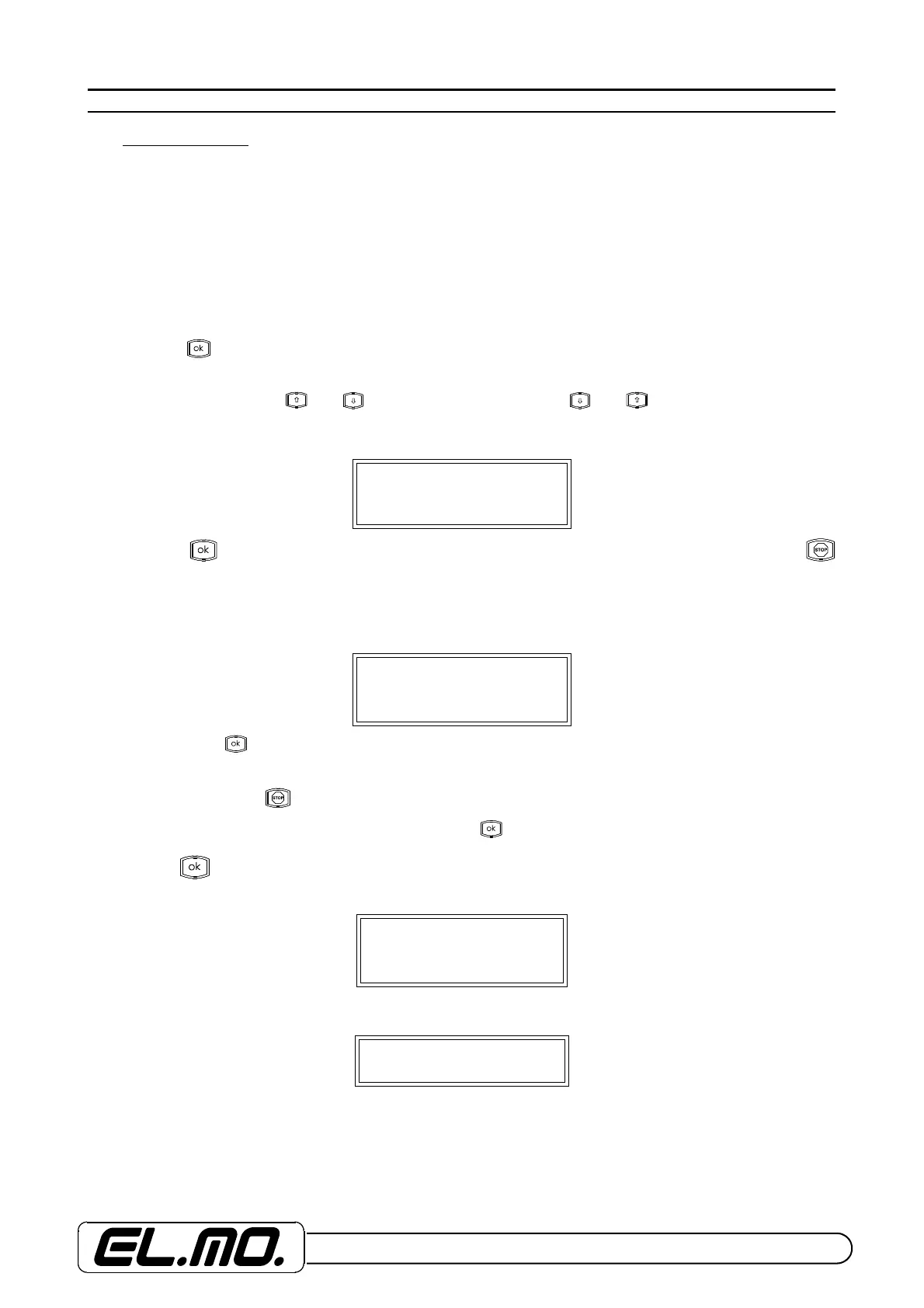
- E = Press the key and keep held down for 5 seconds; on the ET8/480S it is necessary to press the SPEC button.
- F = Release the RESET button and keep the front panel button pressed down (SPEC in the case of the ET8/480S) for
another 5 seconds, when keys and lighten press in sequence keys and after which the following wor-
ding will appear on the display:
By pressing the key the various user codes will be visible in programmation and maintenance fase by pressing
no codes visualization will be possible during programming or maintenance. Only the user will be able to change his own
code without displaying it.
NOTE: To change code’s visibility, it is necessary to re-set the default condition.
The following message will appear:
- G = By pressing the key, the recognition procedure of the connected peripherals is activated: key boards, key point,
transponder with the memorisation of the respective recognition codes.
ATTENTION: Never press key when installing mod. ET8/480 and ET8/480PT control units as it causes the
keyboard’s response slakening. Make sure you only press key.
After pressing key the following wording will appear:
At the end, the customary wording will appear:
- H = Once the reset phase has been completed, re-activate the alarm signalling devices and start the programming ope-
rations.
VISIBLE CODES
OK = YES STOP = NO
PERIPHERAL App.
OK TO CARRY OUT
Peripheral App.
Operation underway
Sa01/01/00 04:03


 To Next Page