30 - ET8/480, ET8/480S and ET8/480PT - TECHNICAL MANUAL
12. PROGRAMMING
So as to be able to fully programme the control unit and achieve the desired functions, it is necessary to access specific
menus which make it possible to specify in detail the automatic and/or manual operations which will be carried out during
the management of the system by the end users.
12.1 Conventions
In order to be able to start the journey towards the complete configuration of the control unit, it is necessary to memorise
the following actions:
- In all the configuration sub-menus, the key allows the user to return to the previous menu until they exit the confi-
guration menu entirely, while by means of the key the user can access the next menu down.
- The modification phase of a parameter can be concluded in two ways: by using the key without implementing the
changes or by using the key in order to confirm the modifications (an acoustic signal will indicate the modification
implemented).
- The menu items identified by the lettering MUM are also accessible by users who are authorised to carry out minor main-
tenance.
- The programming identified by the lettering DEFAULT constitutes the value pre-set by the manufacturer.
- The modification modes of the configuration values are several, at the start of a sequence of commands which requires
a different editing mode, the related operating sequence will be summarised in images.
12.2 Display and editing modes
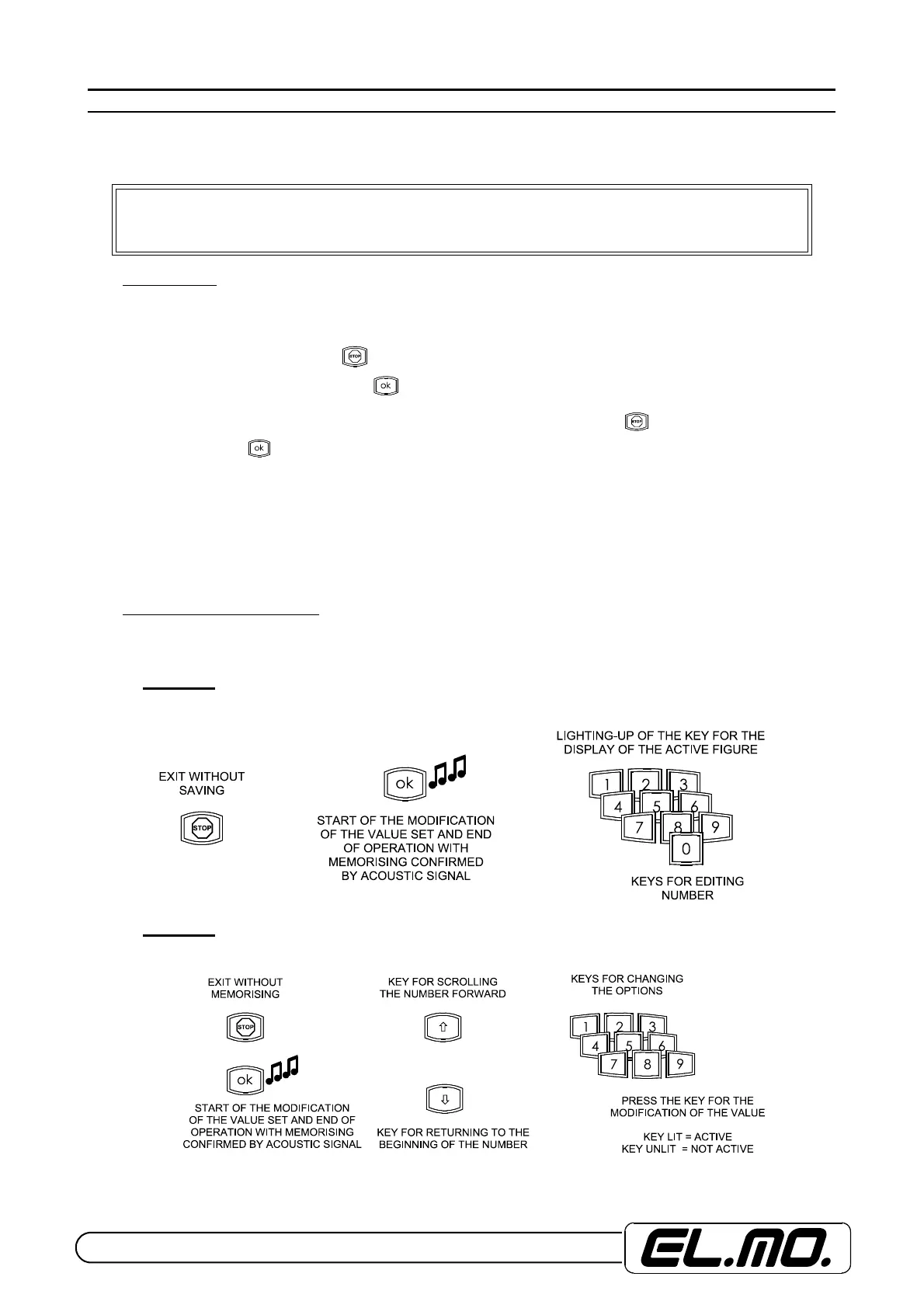
The illustrations below depict the key sequences, called MODE x, used in order to input or change the values of the indi-
vidual menus or change the choices displayed.
Mode A
Used for inputting individual values of a numeric nature (range 0-255).
Mode B
Used for modifying the options
“Only the installer has complete access to the configuration menus, the users may
possibly be able to manage the menus defined as “MINOR USER MAINTENANCE, MUM.”


 To Next Page