37
RECORDING SPECIFICATIONS (STILL PICTURE / VIDEO)
<STILL IMAGE RECORDING>
<VIDEO RECORDING>
※1 Only still image can be recorded to a USB flash drive and the internal memory.
◆DISPLAYING RECORDED FILES
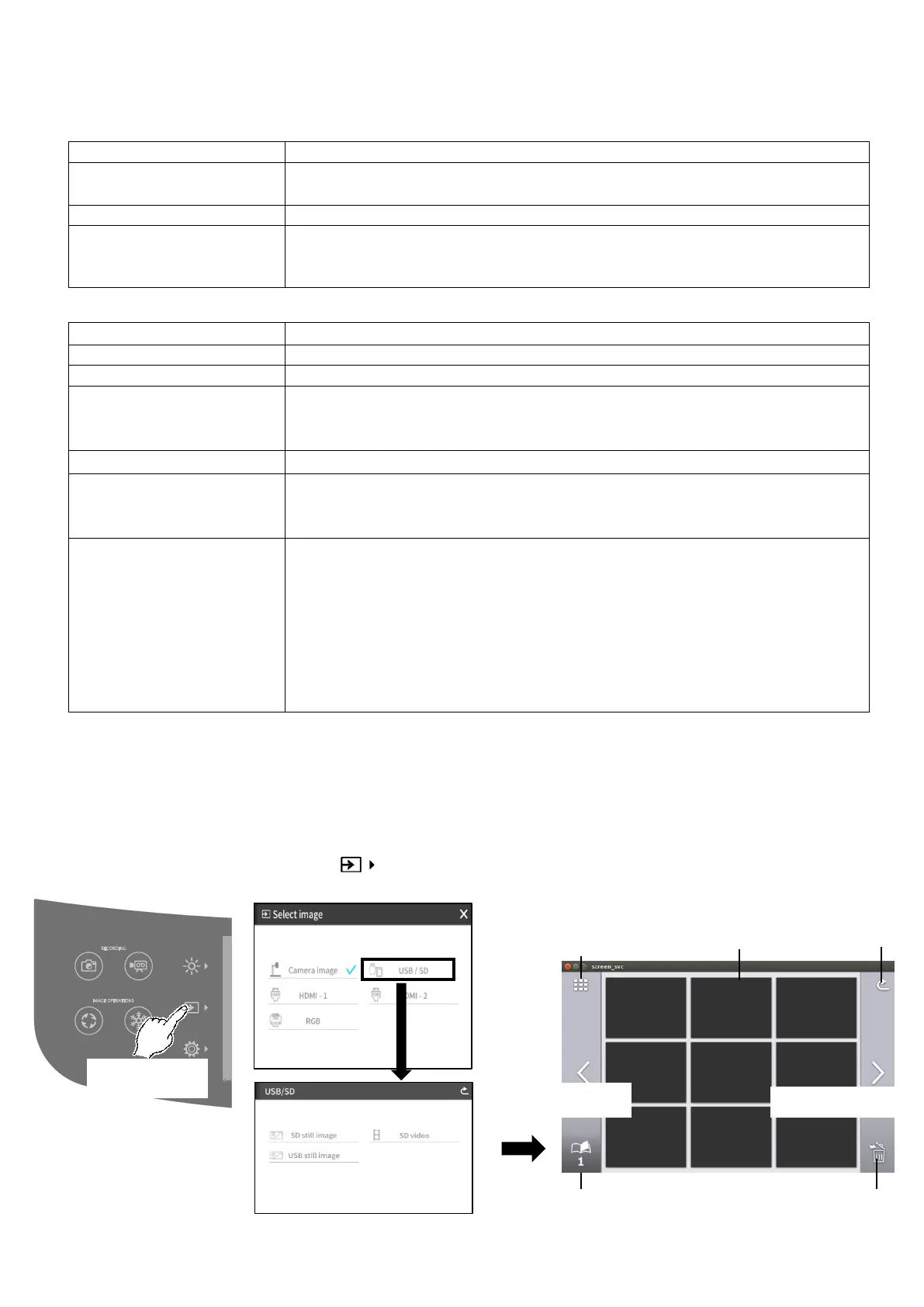
THUMBNAIL DISPLAY (LIST OF STILL IMAGE / VIDEOS)
BASIC OPERATIONS
①Press the Select image button [ ] to select [USB/SD] in the Select image menu.(⇒P.26)
Select a media to be displayed. (SD still image / SD video / USB still image)
SD card, USB flash drive, internal memory
Determined according to the settings of Resolution and Viewing angle.
(⇒P.27)
DCF 2.0 compliant
A thumbnail is created each time a still picture is recorded.
(Extension: jpg)
SD card, SDHC card, SDXC card(class10 or above) ※1
Normal recording / Time-lapse recording
Recording file size / frame
rate
In Normal recording: Varies according to the Video rec quality setting (⇒
P.28)
In Time-lapse recording: 30fps (fixed)
Select from the Sound switch menu. (⇒P.28)
DCF 2.0 compliant(mp4)
A thumbnail is created each time a video is recorded.
(Extension: thm)
Maximum video file size: 4GB
Maximum video length: 2hours
※If the video file length exceed 2hours or video file size exceeds 4 GB, the
current recording file is closed and the recording restarts with a new file.
※If the AC power supply is cut off during recording, the video file may be
damaged and cannot be played.
※For EU models, video recording will stop automatically if the video length
reaches 29min. 50sec.(This applies only for Normal recording.)
To change the number of
thumbnails displayed.
(9 / 4)



 To Next Page