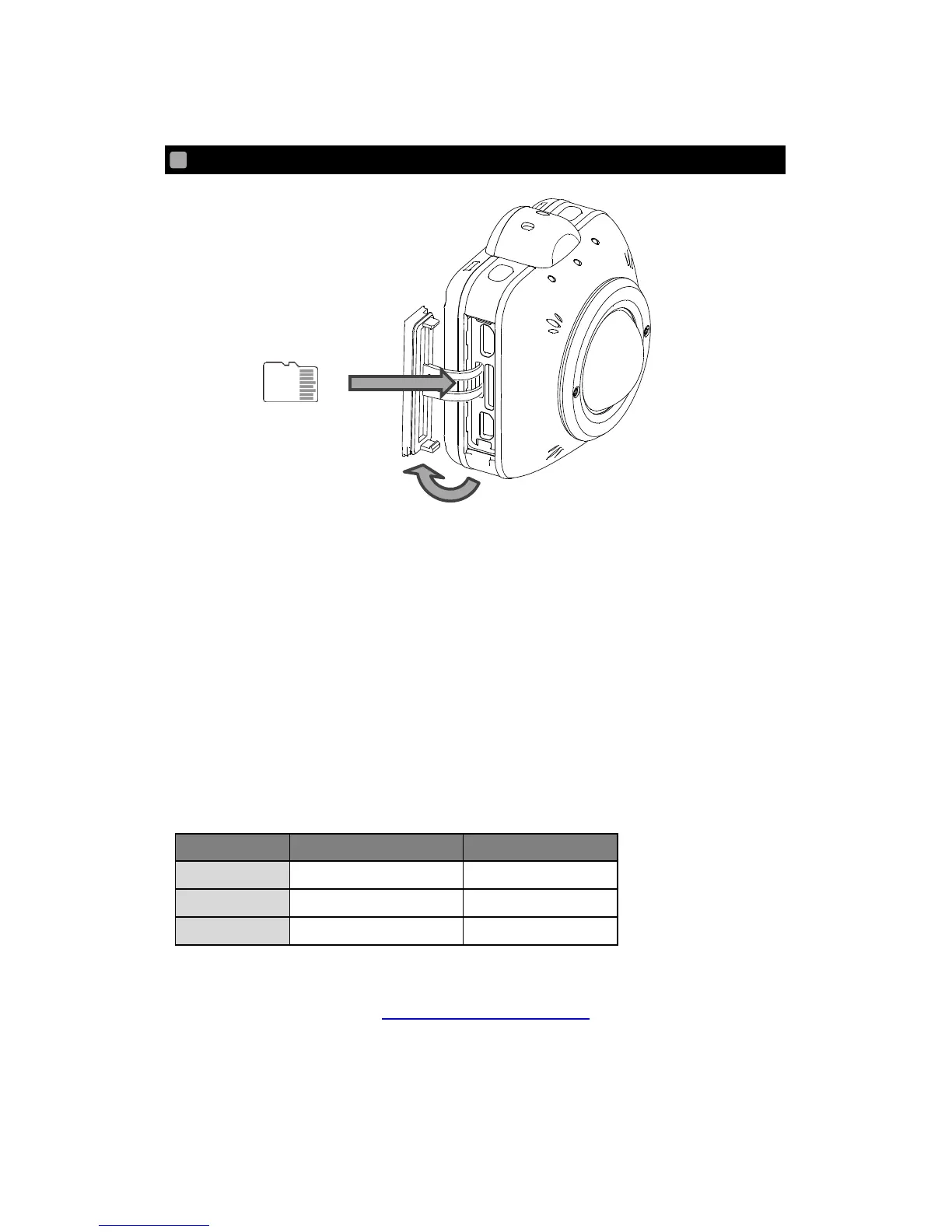
1. Open the Interface Terminal Cover. (①).
2. Insert the commercially available microSD card in the microSD card slot. (②).
* Pay attention to the direction of the card when inserting the microSD card. Insert
the card until it clicks.
* Improper insertion of the card may cause error or damage the camera.
3. Close the Interface Terminal Cover.
* Make sure to close the cover correctly.
Otherwise, the waterproof performance of the camera may be compromised,
causing malfunction.
Compatible microSD card
* Refer to the QBiC MS-1 official website for a list of compatible microSD card.
QBiC MS-1 official website http://www.elmoqbic.com/ms1/



 To Next Page