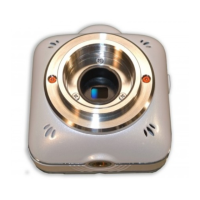
There are 2 types of recording methods - Movie recording and Photo recording.
There are 3 modes for Photo recording - Single mode, Burst mode, and Interval mode.
The recorded movies and photos are stored in the micro SD card.
All settings are configured from QBiC APP installed in a smart device. The recording can be
performed using QBiC APP.
The recorded movies and photos are stored in the following file formats:
The movie recording starts with a confirmation sound when the Recording Switch is pressed.
The Recording LED turns red during the recording.
The recording stops with a confirmation sound when the Recording Switch is pressed again
during the recording. The Recording LED turns off.
The following 3 modes are available for photo recording.
Single mode
The camera records a photo with a shutter sound each time the Shutter Switch is
pressed. The Recording LED turns blue during the recording.
Burst mode
The camera records 10 photos with shutter sounds each time the Shutter Switch is
pressed. The Recording LED turns blue during the recording.
Interval mode
The camera continuously records photos with shutter sounds at a certain set interval



 To Next Page