24
15. Adjusting fully automatic Feed Control for Double Discs
Whensetto“A”(Automaticsewing),thedesignmadebythemachinemustmatchexactlythedesignindicated
onthetopofeachdoubledisc.Ifthisisnotthecase,adjustasfollows:
TestusingCam"0."
InstallCam“0”intheELNAGRAPH.
Attachtheordinarypresserfoottopresserbar.
Installasize90[14]needle.
Setpressureregulatingdialformediumclothpressure.
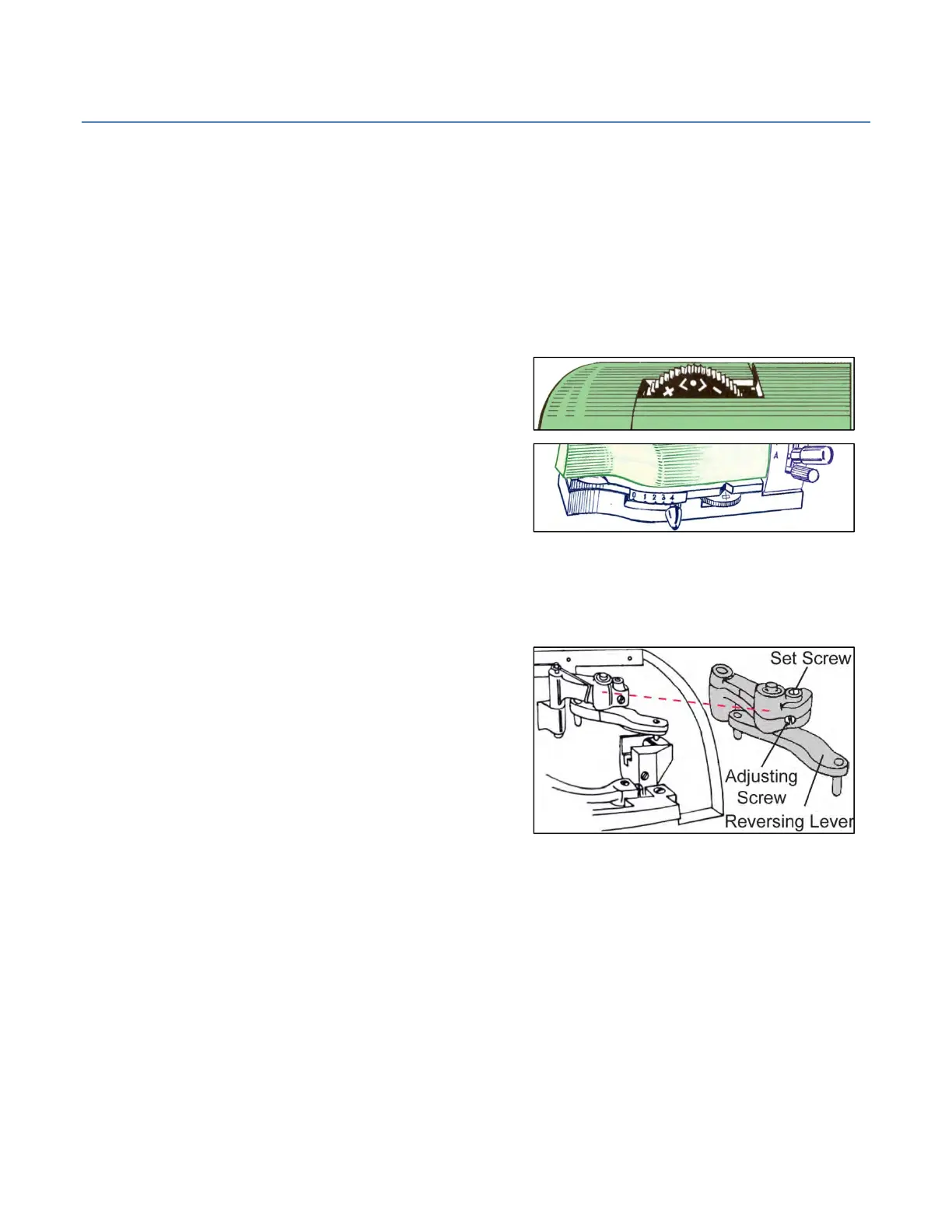
Stitchwidthknobat"4."
SetCenteringDialatCenterPosition.
Stitchlengthleverat"A."
Placeapieceoffabric,about1½”x2“underpresserfoot,lowerthepresserfootleverandstartsewing.
Thematerialshouldnotbemovedmorethan3mm[⅛”]backwardsorforwardswhenthemachineisrunfor15
secondsattopspeed.Ifthisisnotthecase,adjustasfollows:
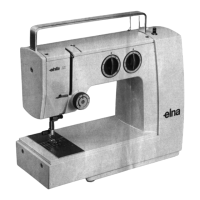
LoosentheSetScrewontopofreversingleversupport.
TurnAdjustingScrewasrequired.
TurnthescrewClockwisetoincreasethestitchlength/
increasefeedspeed.
TurnthescrewCounterclockwisetodecreasethestitch
length/decreasefeedspeed.
TightentheSetScrewfirmlyafterthisadjustment.



 To Next Page