2. Level 1 Cosmetic / Appearance / Alignment Service
2.1. Firmware and EDID Upgrade Process
2.1.1 Software configuration:
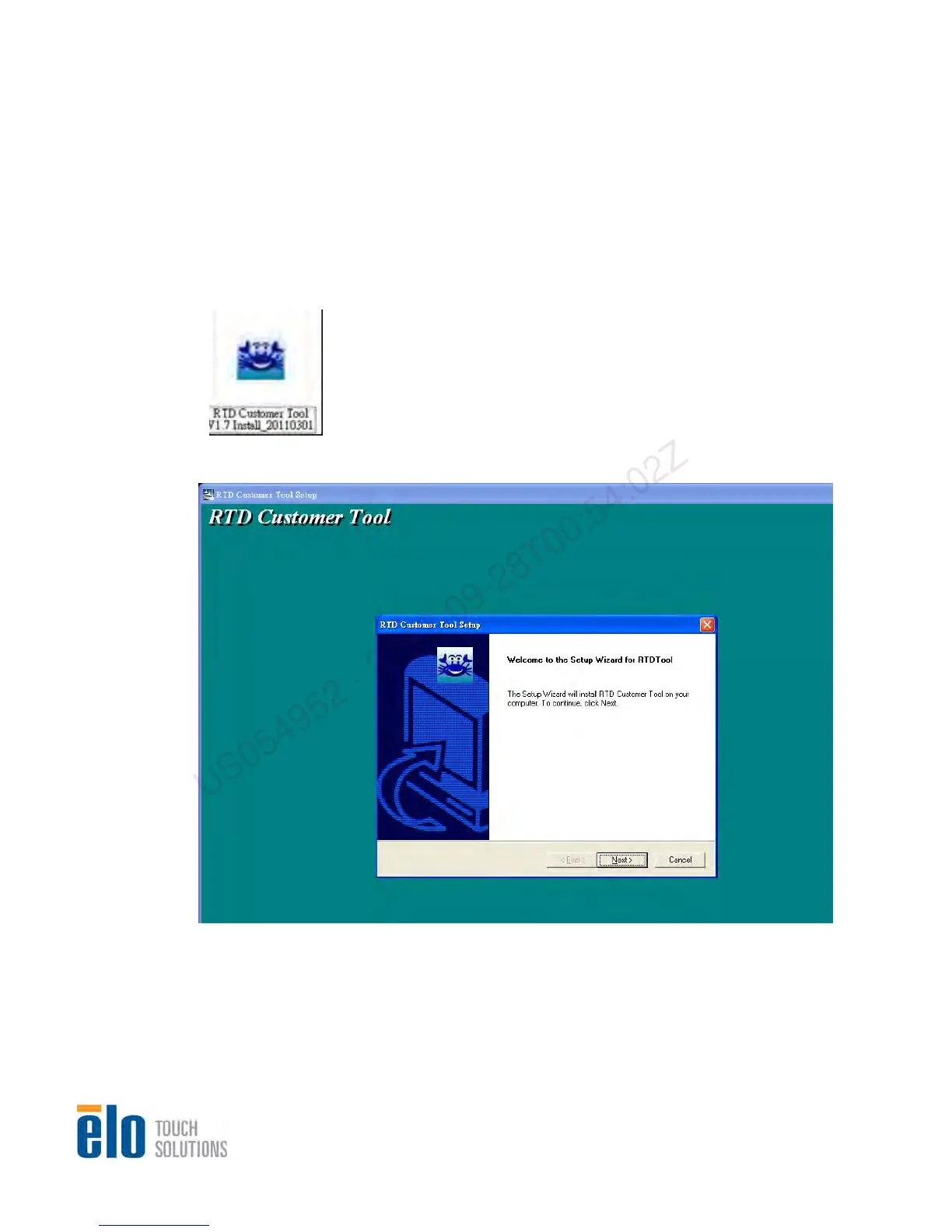
Step 1. Unzip “RTD Customer Tool V1.7 Install_20110301”
Step 2. Click on “RTD Customer Tool V1.7 Install_20110301” to run the program
Step 3.
C
lick on “Next” when following screen pops up
Service Manual: ET1517L, ET1717L
ES600904 Rev B, Page 22 of 44
US054952 - 2012-09-28T00:54:02Z


 To Next Page