Service Manual: ET1517L, ET1717L
ES600904 Rev B, Page 26 of 44
2.1.3 FW Update Procedure:
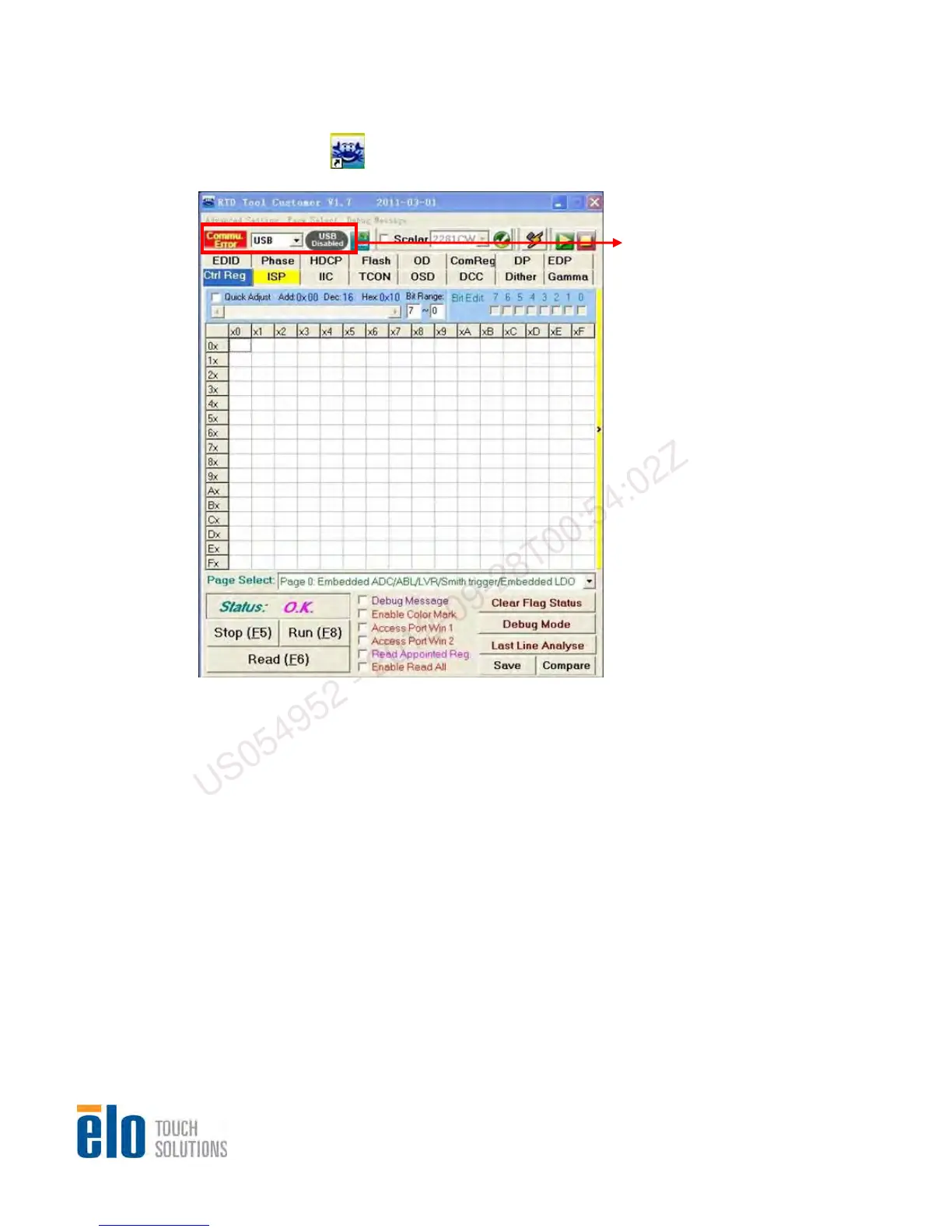
tep 1. Double click on to run “RTD tool Customer V1.7” and check if the connection is OK
S
a. If connection with JIG is OK,
the USB button is green,
otherwise th
e color is gray.
b. If Communication with
monitor is OK, the Commu
button is green, otherwise
the color is red
US054952 - 2012-09-28T00:54:02Z


 To Next Page