Service Manual: ET1517L, ET1717L
ES600904 Rev B, Page 30 of 44
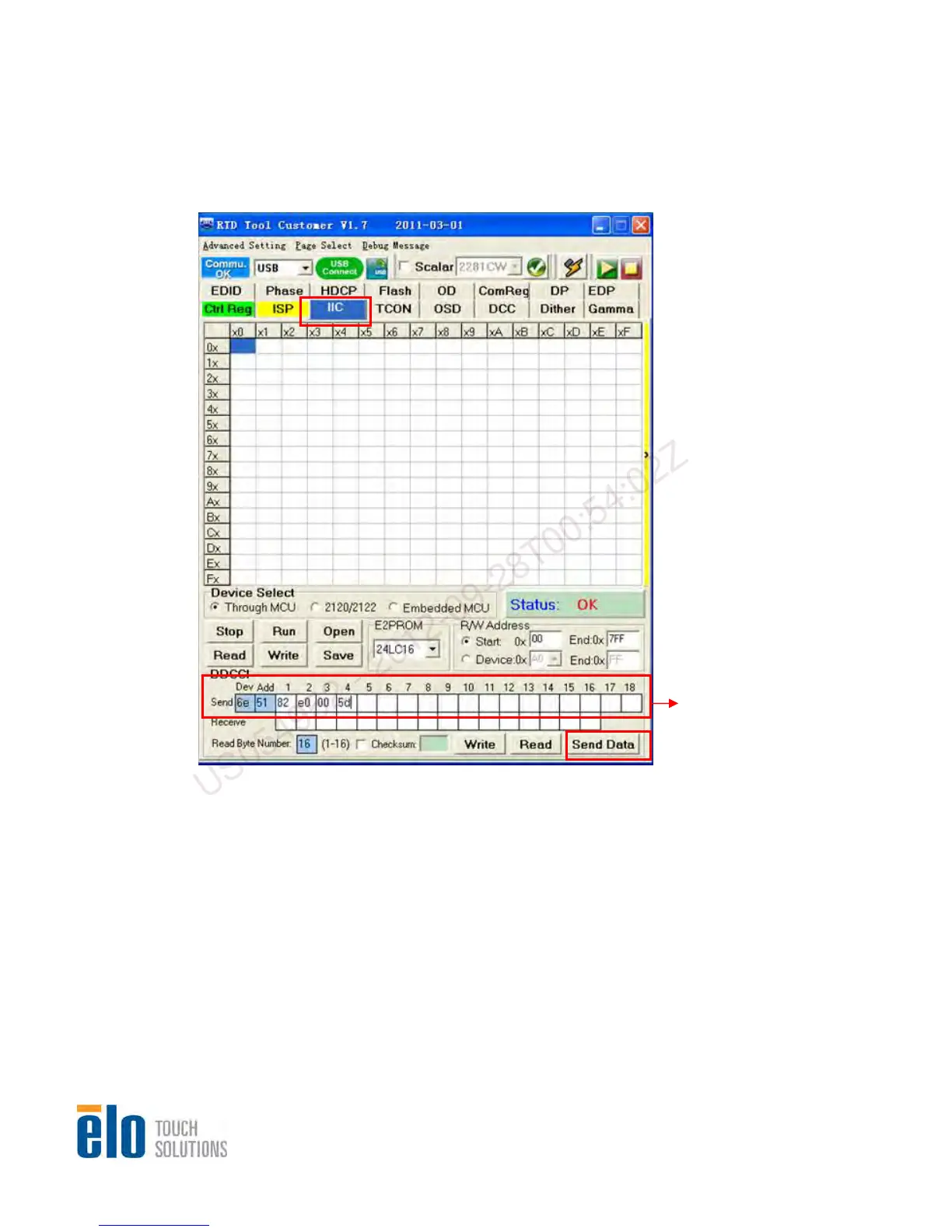
Step 1. Select “IIC” and key in “6e 51 82 e0 00 5d” as following, then, click on “Send Data” to
otect command to monitor
2.1.4 EDID Upgrade Procedure
disable EDID
EEPROM write protect.
Note: DC off monitor when RTD Customer Tool sends write pr
Fill the number
“6e,51,82,e0,00,5d”
US054952 - 2012-09-28T00:54:02Z


 To Next Page