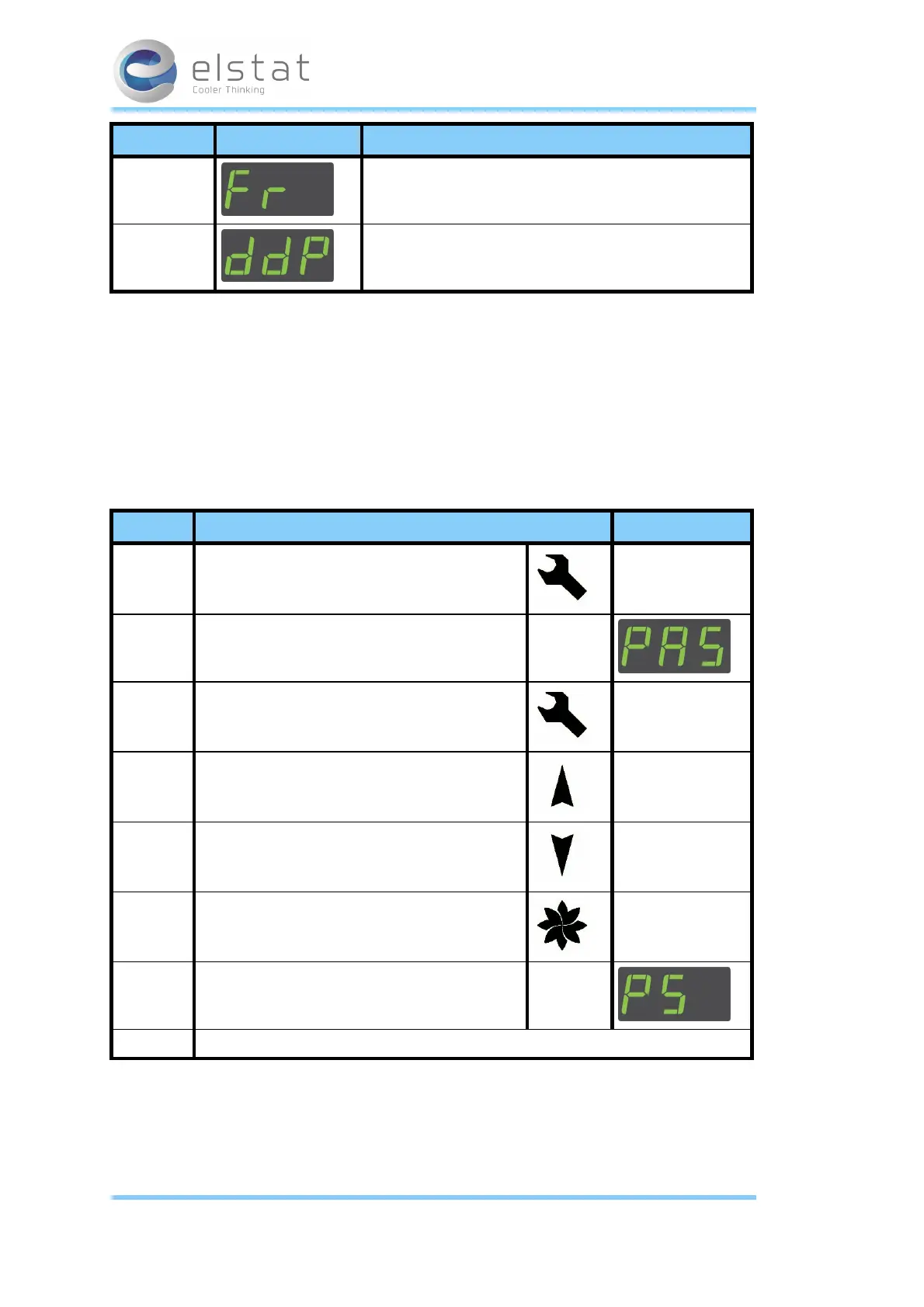
Menu Display Description
Full reset Elstat use only.
Data dump Elstat use only.
Note:
l The fullreset is accessed with a password supplied by Elstat. It is not recommended for the end user to have
access to this option.
l The data dump is for Elstat use only for testing anddevelopment purposes.
4.6 How to access the menu EMS controllers
The password is a unique sequence of button operations.
The password is supplied to OEMs, installers, and service engineers separately.
Step Action Display
1 Press andhold the Set button
2 The EMS display shows
3 Press the Set button four times (x 4)
4 Press the Up button once (x 1)
5 Press the Down button twice (x 2)
6 Press the Defrost button twice (x 2)
7 The EMS display shows:
You have successfully entered the EMS menu.
4.7 How to view the ems75sz parameter settings (PS)
View the parameter settings to check the values of the parameters as follows:
21 of 86
27 February 2014



 To Next Page