Step Action Display
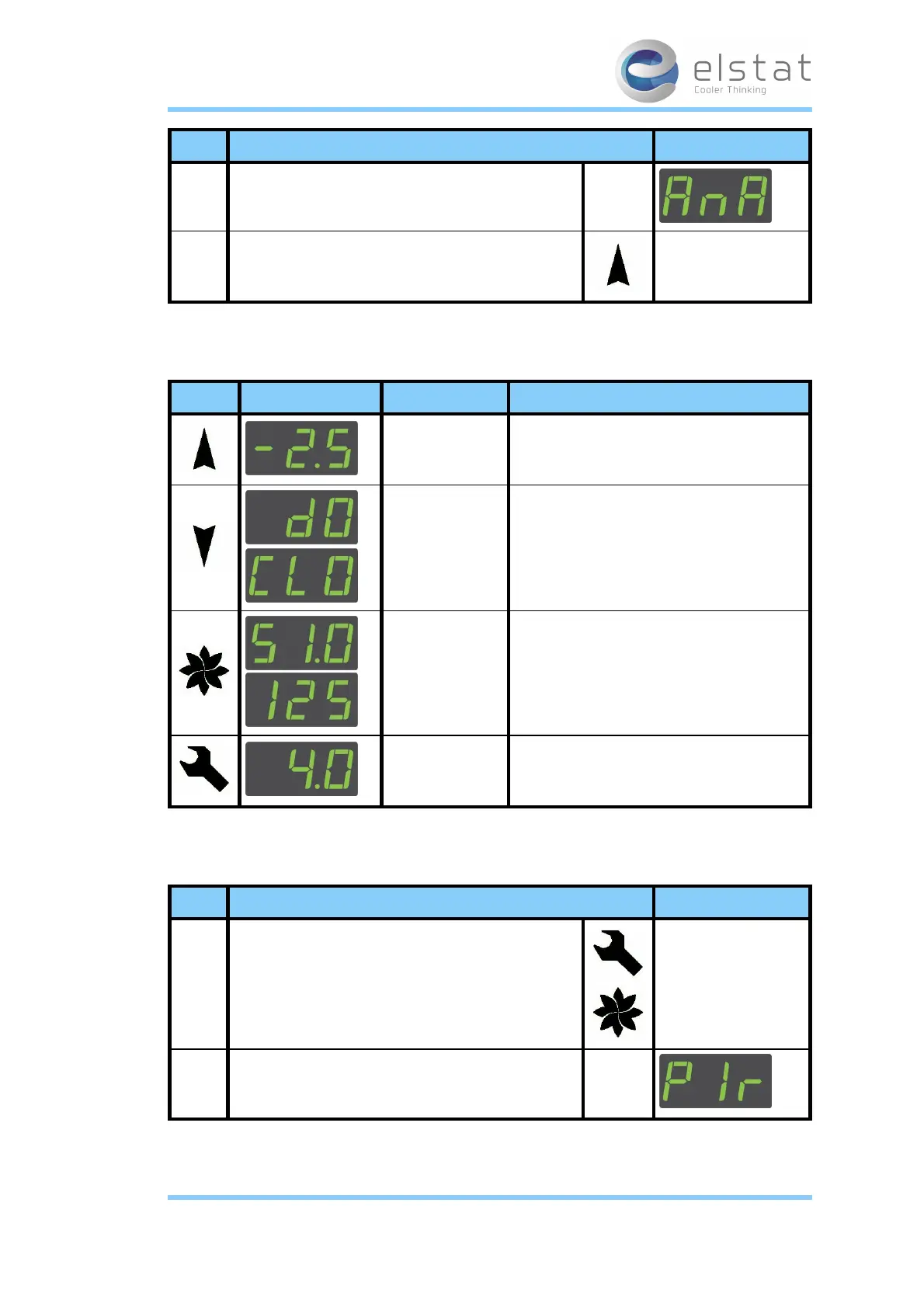
16 The EMS display shows:
17 Press the Up button to begin the analogue input test:
4.8.3 The analogue input test
Button Display Test Check
Appliance sensor
temperature
Displayed temperature is correct
Door switch
Door is open (dO) or closed (C L O)
Condenser sensor
temperature
Displayed temperature is correct.
(Between 51.0 and 125°C)
Evaporator sensor
temperature
4.8.4 The motion sensor test
Step Action Display
18 Press the Setbutton andthe Defrost button together
19 The EMS display shows:
26 of 86
27 February 2014



 To Next Page