13
Your eMachines notebook has been designed so that you can set it up quickly
and start using it right away.
We’re going to walk you through each of the following steps as you use your
notebook for the first time:
❂ installing the included battery pack
❂ connecting the power adapter
❂ opening the notebook
❂ turning it on!
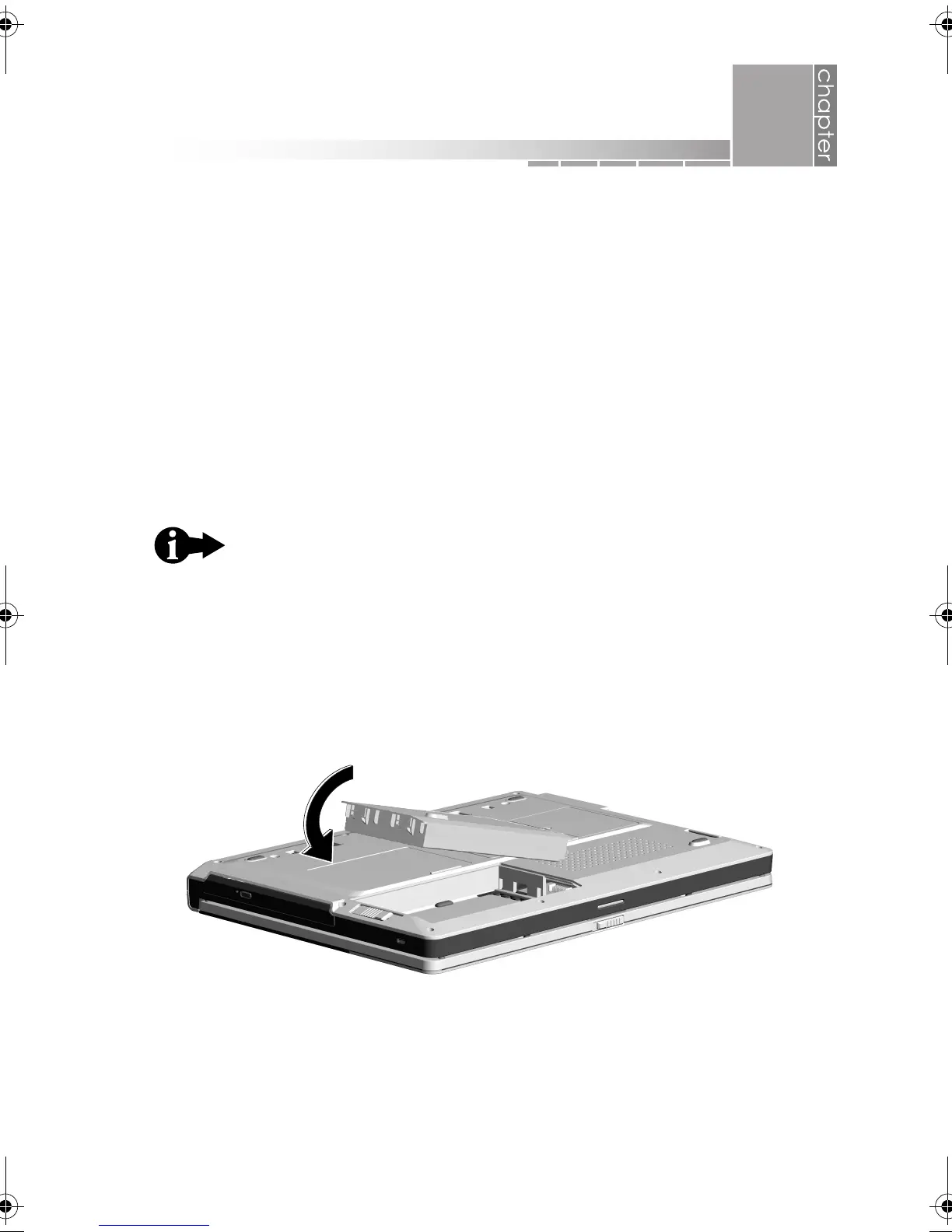
1. Install your battery by first placing your notebook upside down on a stable
surface.
Hold the battery pack label-side down and slide it into the open battery
compartment until the battery pack clicks into place.
These start-up procedures are described in detail on the
quick setup poster, but for your convenience, the basic
steps are repeated here.
1
getting started
AACR53700001K4.book Page 13 Friday, September 5, 2003 1:52 PM












 To Next Page