33
using your notebook
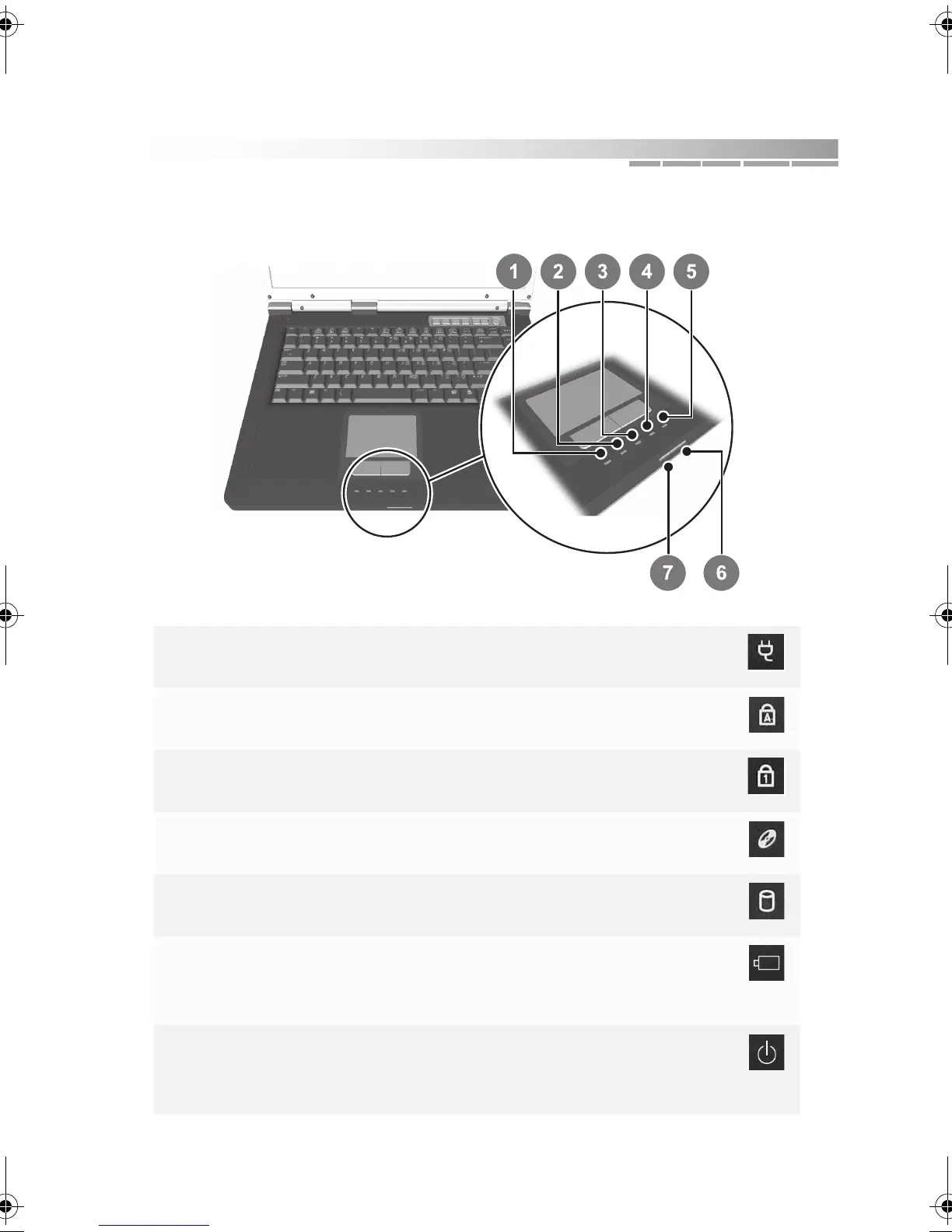
interpreting status lights
1 AC power on: AC power is connected
off: AC power is not connected
2 caps lock on: caps lock on
off: not activated
3 num lock on: num lock on
off: not activated
4 CD/DVD activity blinking: CD/DVD drive is active
off: no CD/DVD activity
5 hard drive activity blinking: hard drive is active
off: no hard drive activity
6 battery charge blinking: battery has a low charge
on: charging
off: battery is charged
7 notebook power blinking: notebook is “sleeping”
on: notebook is on
off: notebook is powered off
AACR53700001K4.book Page 33 Friday, September 5, 2003 1:52 PM












 To Next Page