getting started
20
open
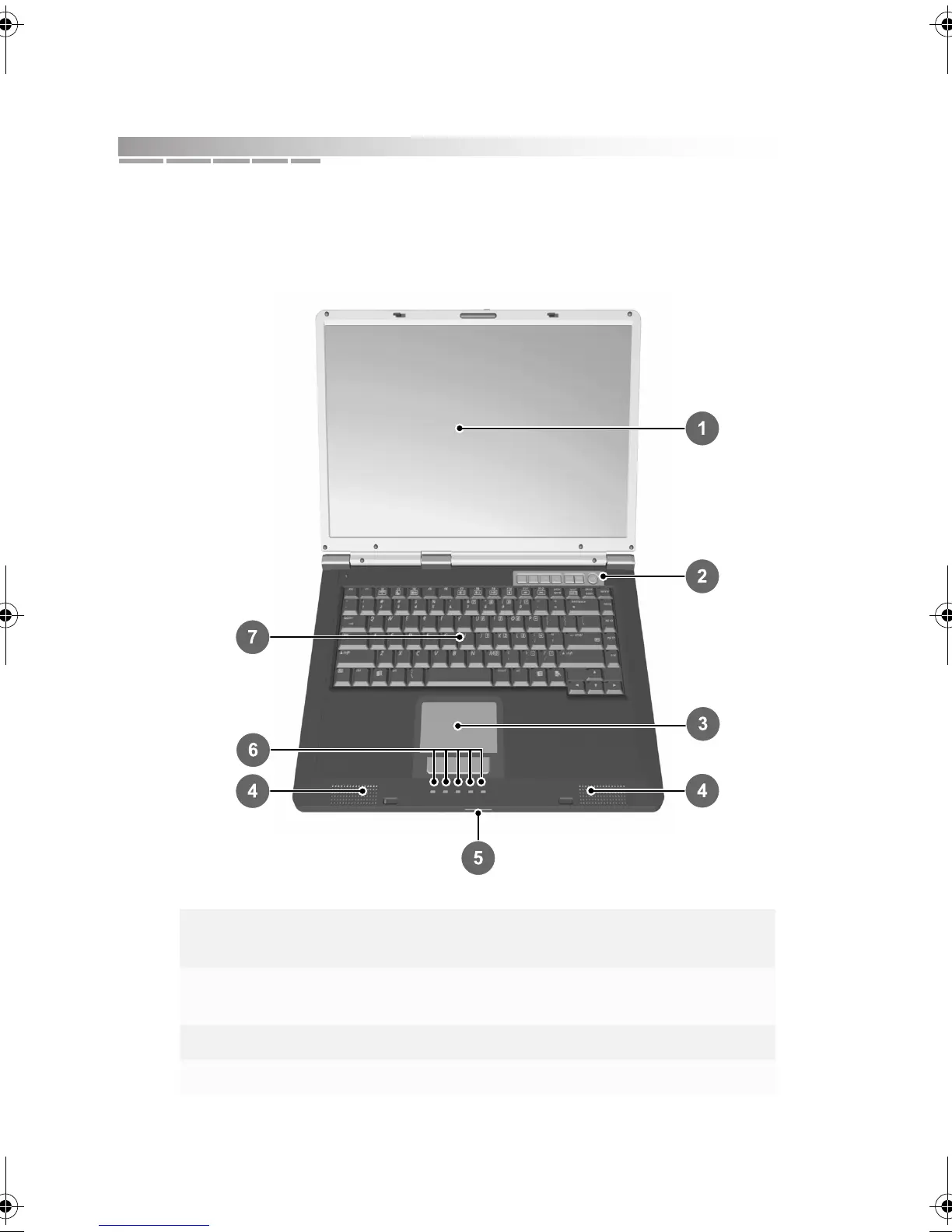
To begin with, look at your opened notebook and locate its main features.
1 display 5 power and battery
status lights
2 quick action buttons and
power button
6 system status lights
3 touchpad 7 keyboard area
4 speakers
AACR53700001K4.book Page 20 Friday, September 5, 2003 1:52 PM












 To Next Page