getting started
38
caring for and handling discs
When handling CDs and DVDs, touch only the center and outside edges.
Touching the reflective surface of the disc may damage it.
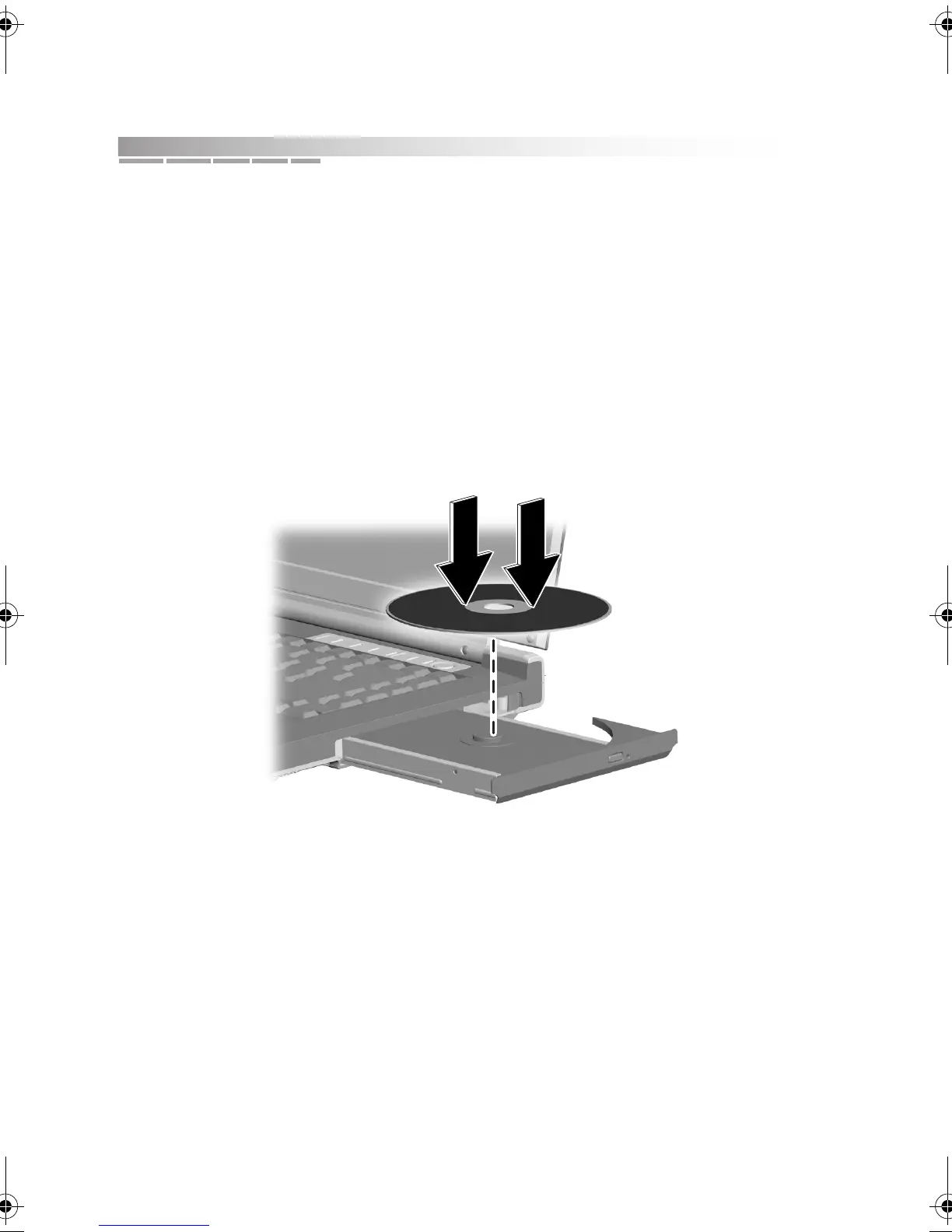
inserting a disc
1. Press the eject button on the CD/DVD drive to open the tray.
2. After the tray pops open, slide it completely out.
3. Place the disc in the tray with the label facing up. Press gently on the disc
until it snaps into place on the spindle.
4. Slide the tray back into the drive until it clicks shut.
removing a disc
1. Press the eject button on the CD/DVD drive to open the tray.
2. After the tray pops open, slide it completely out.
3. Hold the disc around its edges and pull up on it.
4. Slide the tray back into the drive until it clicks shut.
AACR53700001K4.book Page 38 Friday, September 5, 2003 1:52 PM












 To Next Page