55
Read this chapter when you need to upgrade or replace your:
❂ battery
❂ memory
❂ hard drive assembly
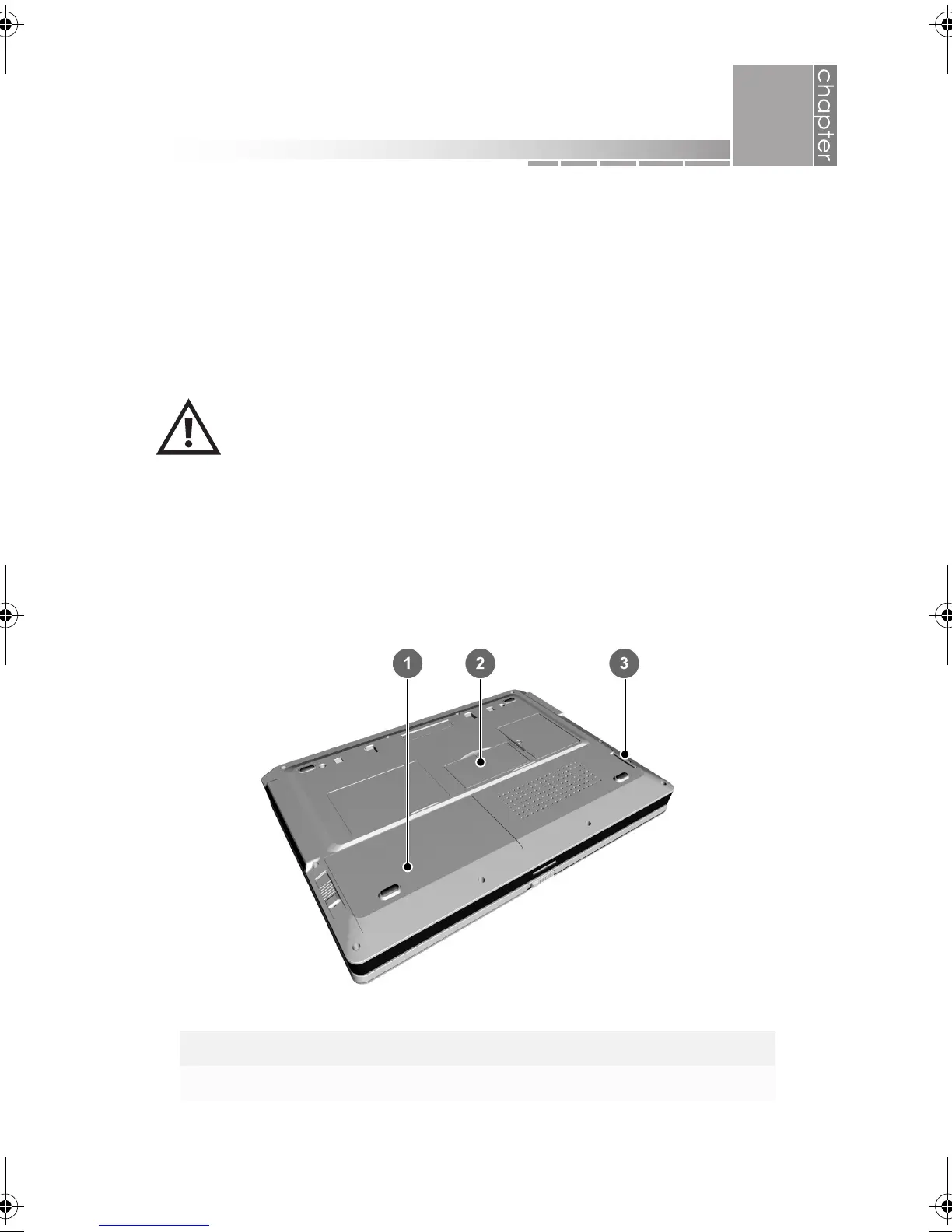
All user-replaceable components are accessed from the bottom of the
notebook.
The components inside your notebook are sensitive to static
electricity, also known as electrostatic discharge. Before
handling system components, use appropriate precautions,
including turning off all system power, unplugging all
cables, and touching a bare metal surface on the notebook
(such as the nuts for the printer port) or wearing a grounding
wrist-strap.
1 battery 3 hard drive
2 memory
5
upgrades and replacements
AACR53700001K4.book Page 55 Friday, September 5, 2003 1:52 PM












 To Next Page