15
getting started
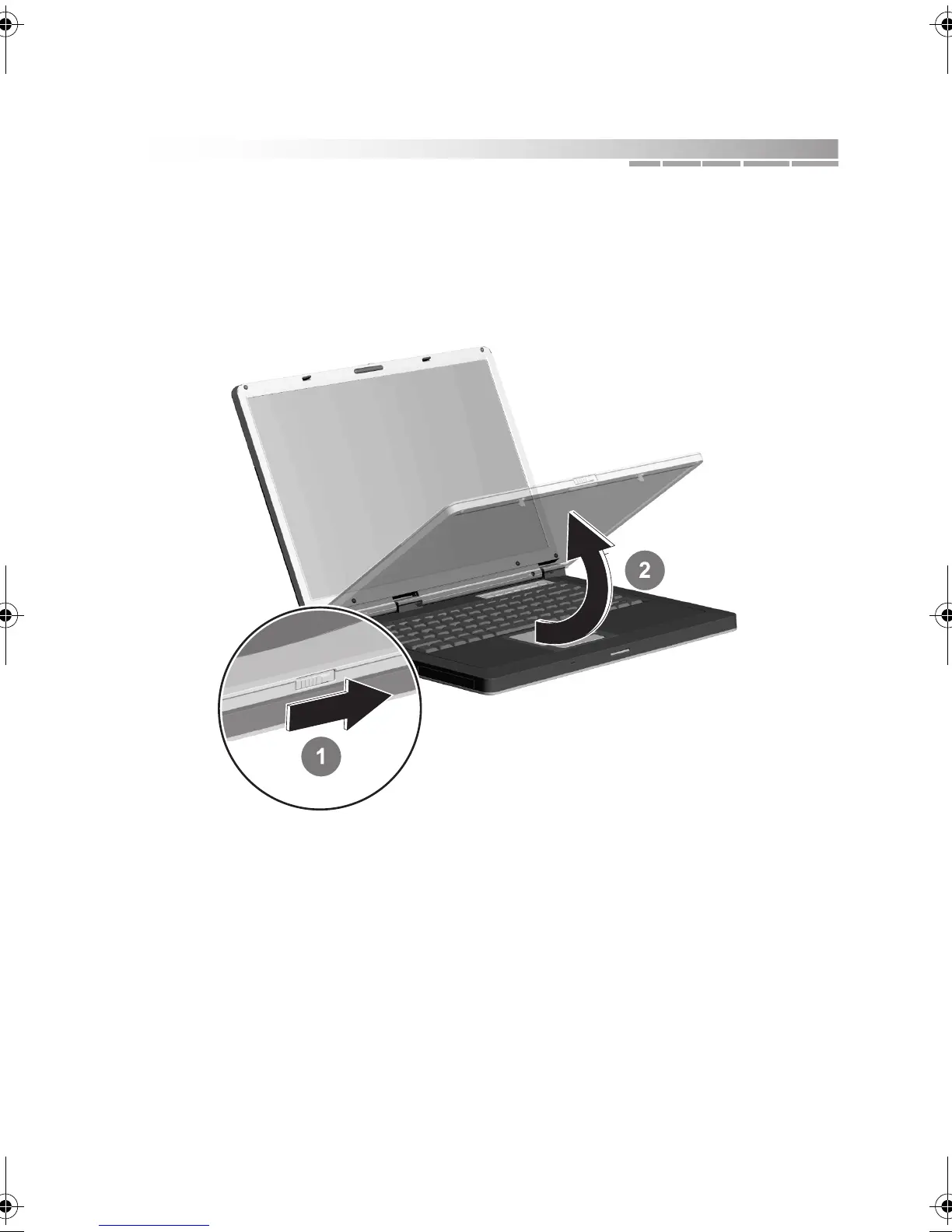
3. Open your notebook:
Slide the latch on the front of the notebook to the right 1 and, at the same
time, lift the top panel 2.
Adjust the position of the display to a comfortable viewing angle.
AACR53700001K4.book Page 15 Friday, September 5, 2003 1:52 PM












 To Next Page