17
getting started
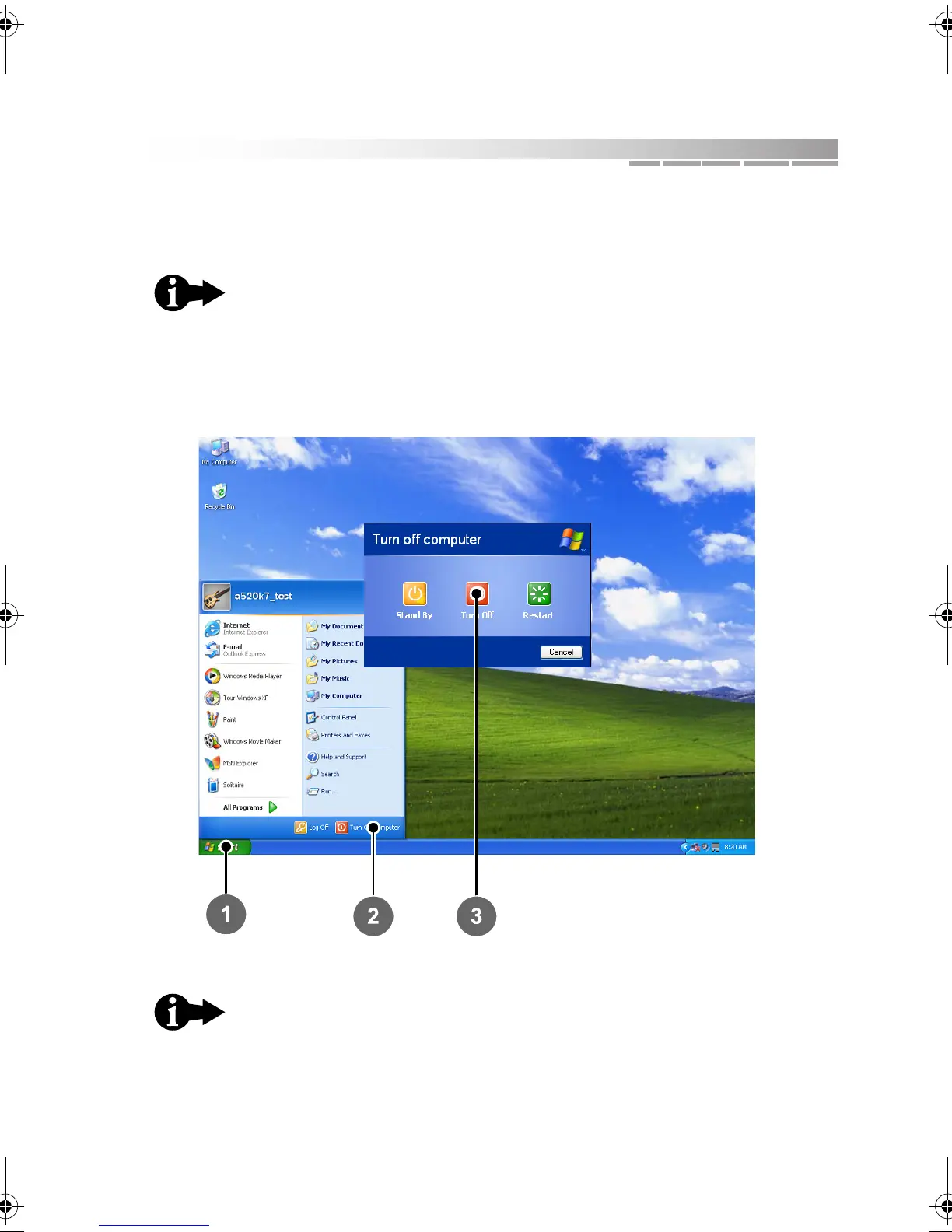
5. To turn off your notebook, do the following:
a. Exit all programs you may have opened.
b. From the Windows desktop, click Start 1
> Turn Off Computer 2.
c. At the prompt, click Turn Off 3.
Important: Always save open documents and files before
turning off your notebook.
When the blue power bar goes off, your notebook is
completely powered down.
AACR53700001K4.book Page 17 Friday, September 5, 2003 1:52 PM












 To Next Page