getting started
36
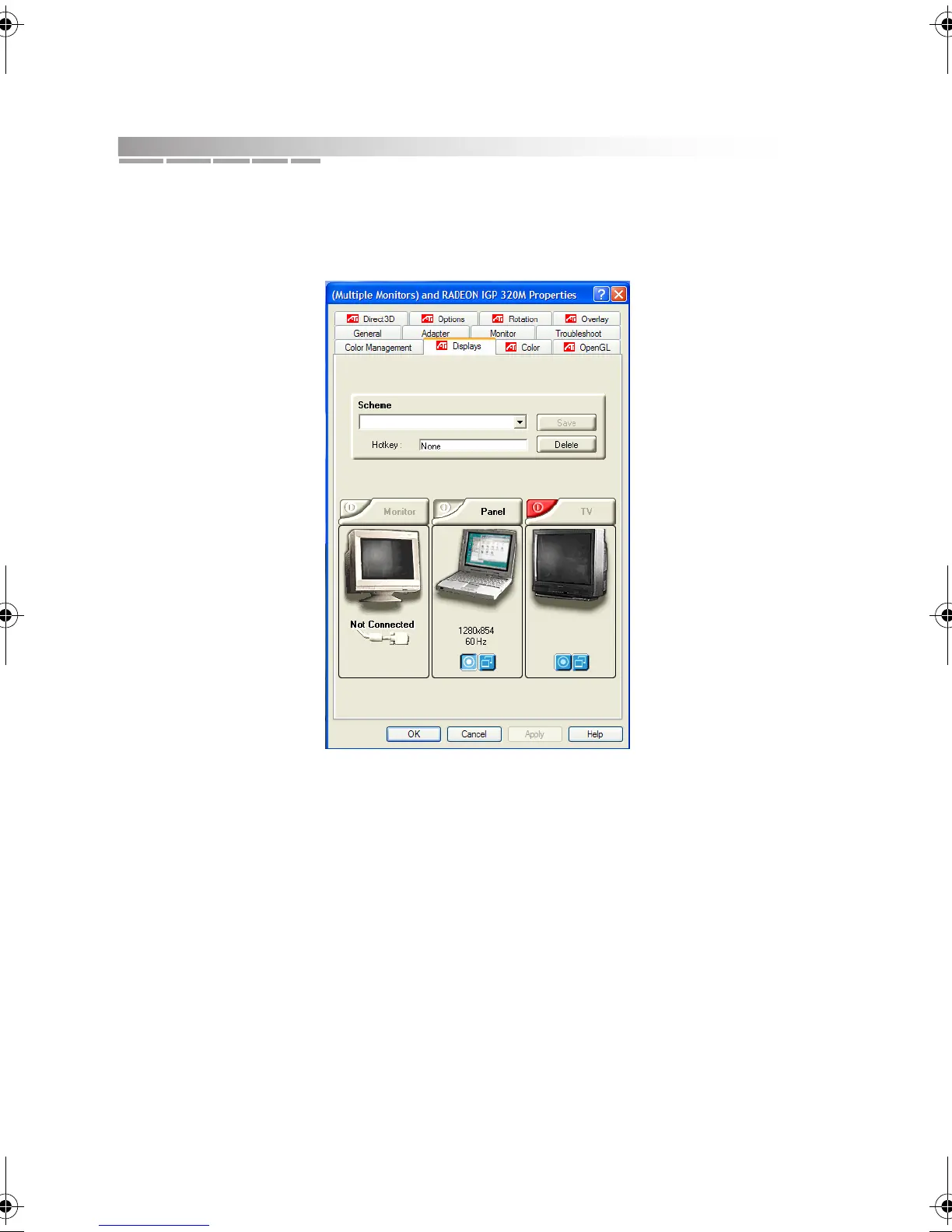
3. If you want to change the settings for the TV, click Start > Control Panel >
Appearance and Themes > Display. Click the Settings tab. Then click the
Advanced button and then the Displays tab.
a. If the image on the TV is not clear, you may need to adjust the country
identification, display brightness, contrast, color saturation, or size.
These and other settings are viewed and changed through the Monitor,
Panel, and TV tabs. Click the top-right corner of a tab to access the
associated Properties page.
b. If desired, you can indicate which device is the primary display and
which device is secondary.
To set a device as the primary display, click the circled dot button near
the bottom of the device tab. To set a device as the secondary display,
click the overlapped windows button.
AACR53700001K4.book Page 36 Friday, September 5, 2003 1:52 PM












 To Next Page