getting started
44
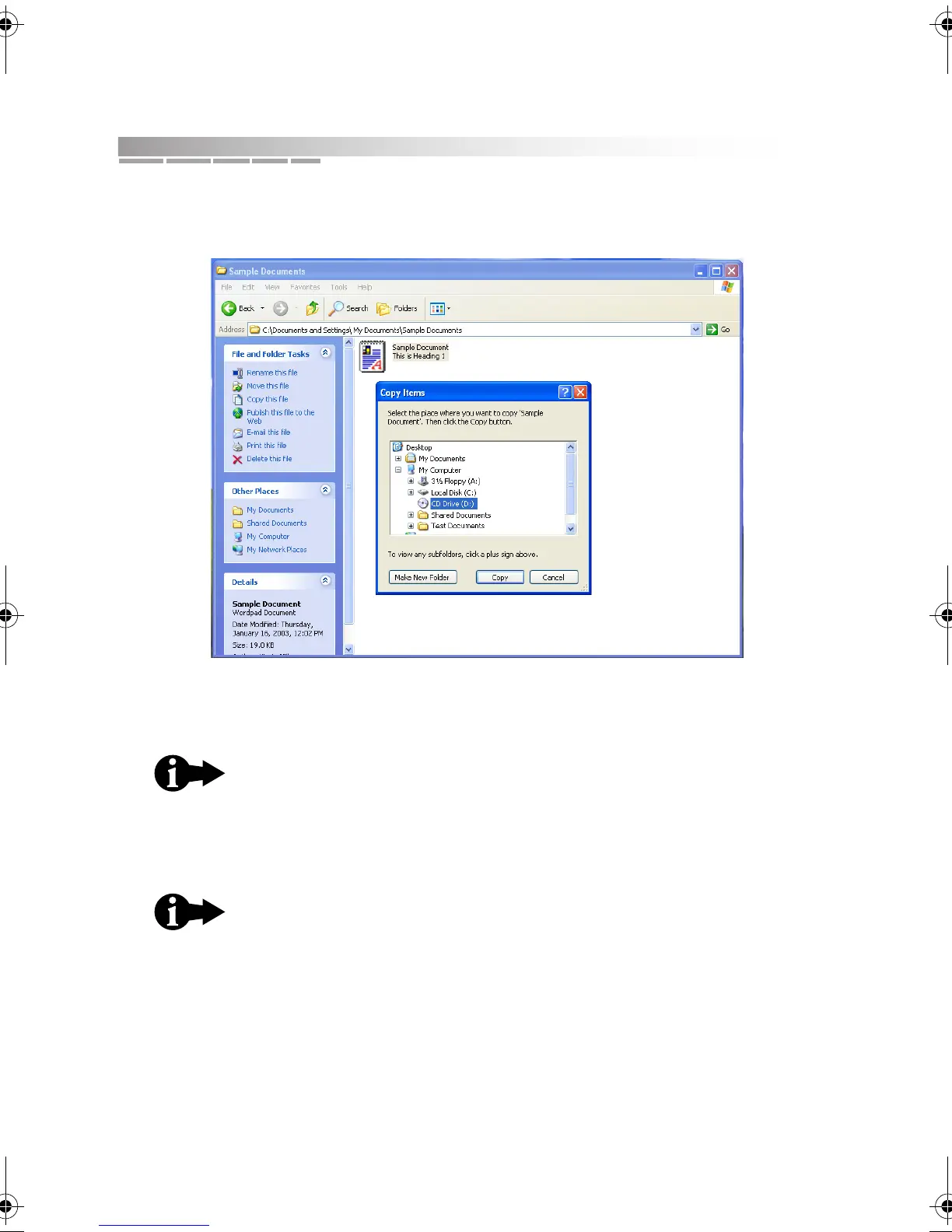
d. In the File and Folder Tasks area of the screen, select Copy this folder
(or Copy this file, depending on your selection).
e. Select the CD drive (D:) as the destination and then click Copy.
A progress bar is displayed while your notebook copies the selected files
to the temporary holding area.
f. If you need to add other files to the temporary holding area, repeat
steps a through e.
This copy process assembles the selected files in a
temporary holding area.
An icon and a message will pop up in the system tray,
showing that you have files waiting to be written to the CD.
Wait to click this icon until after you’ve assembled all of your
files.
AACR53700001K4.book Page 44 Friday, September 5, 2003 1:52 PM












 To Next Page