getting started
50
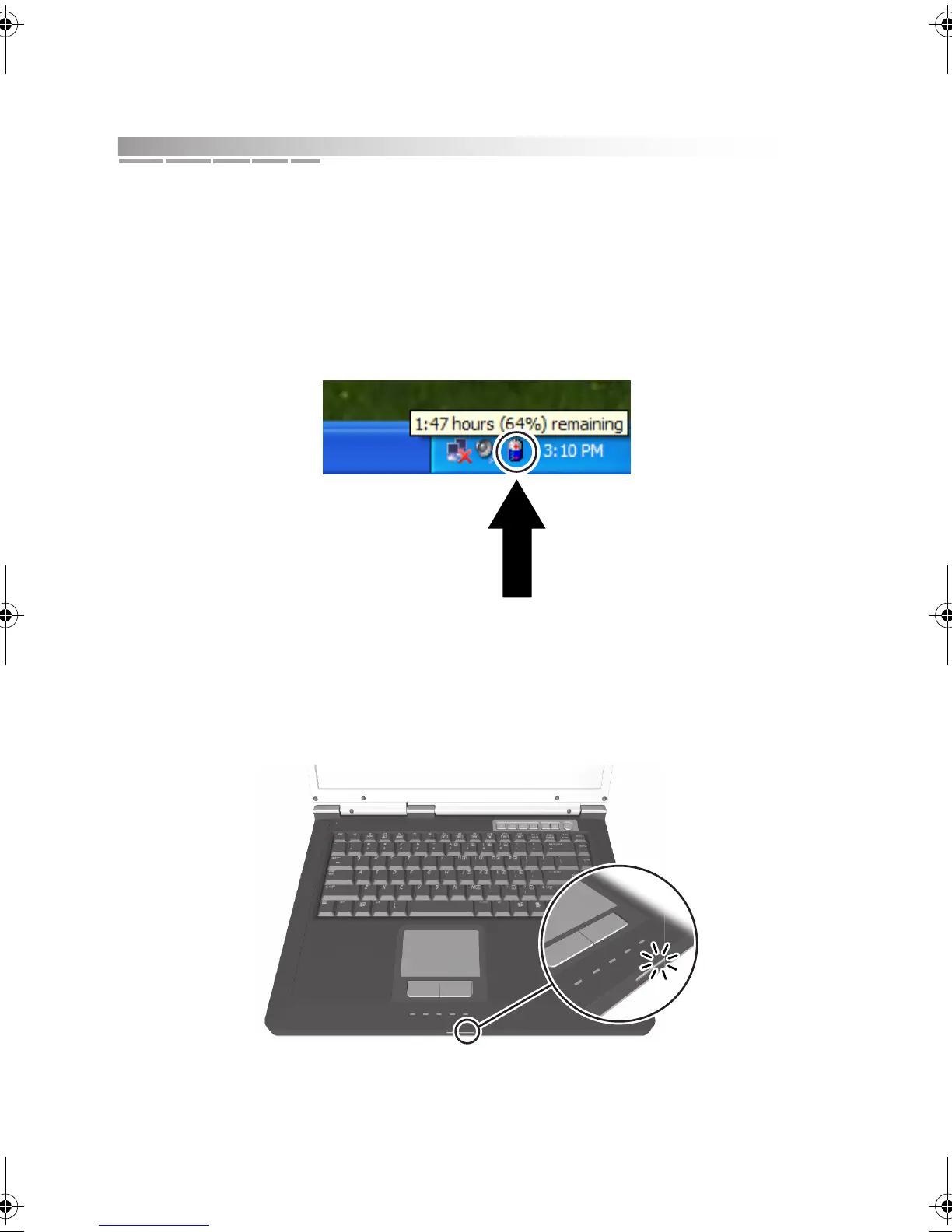
battery charge icon
Whenever your notebook is using battery power, a battery icon is displayed in
the system tray. Pay close attention to this battery charge icon and its charge
message. Use this icon as your primary battery-charge monitoring tool.
When you place your cursor over this icon, a message (illustrated below) is
displayed, showing you how much charge your battery has left.
status lights
If your battery status light begins to flash, you have little power left in your battery
and need to either connect to an AC power source or save and close your work
session right away.
See “interpreting status lights” in chapter 3 for details about status lights.
AACR53700001K4.book Page 50 Friday, September 5, 2003 1:52 PM












 To Next Page