getting started
60
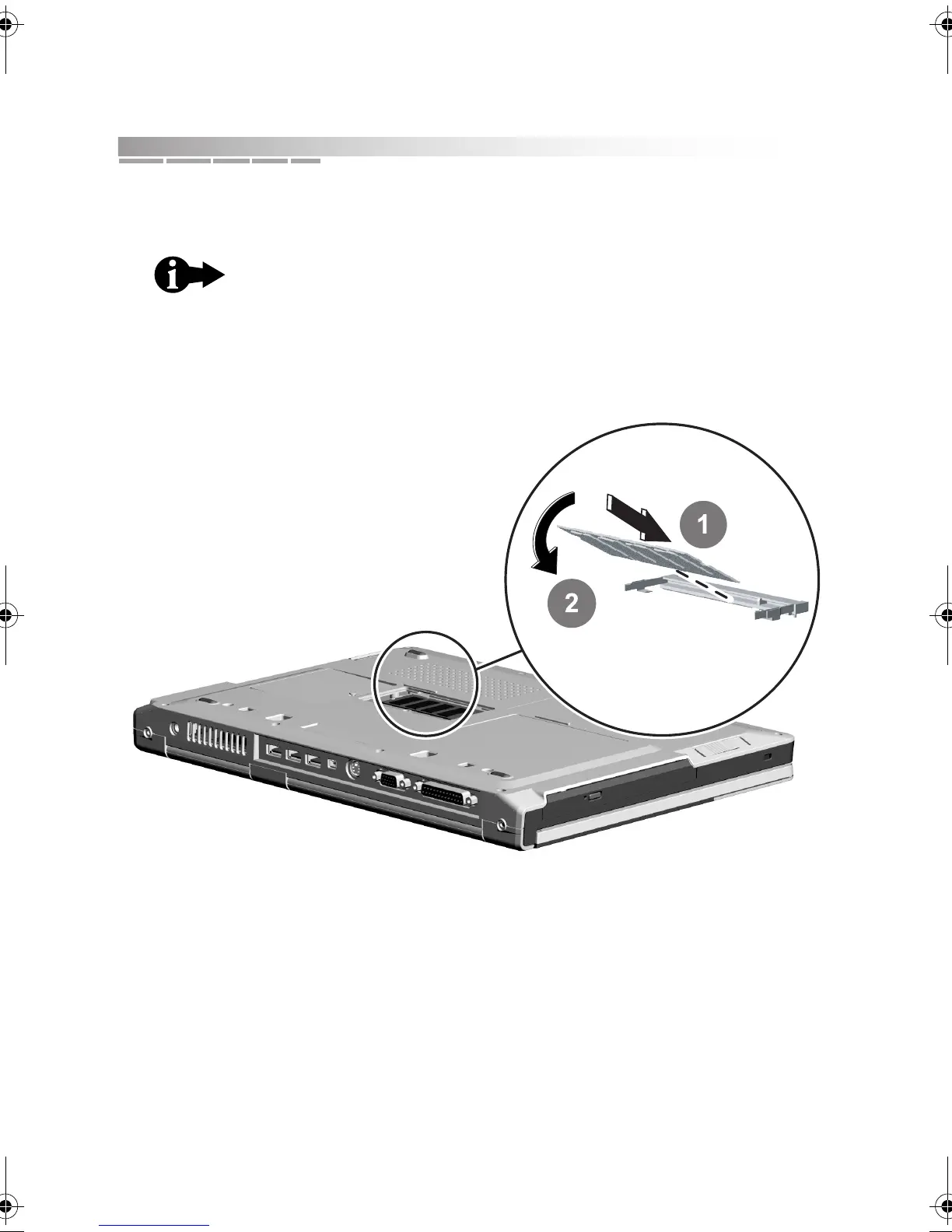
5. To insert a new memory module, hold the memory module at a 45-degree
angle and insert it into the empty memory slot 1.
Gently press down on the module until the retaining clips click into place 2.
6. Replace the memory compartment cover and retaining screw. Insert the
battery pack and reconnect your cables.
The memory module is keyed so that it can be inserted in
only one direction. If the module does not slide in easily,
verify that the notch in the module lines up with the tab in
the memory slot.
AACR53700001K4.book Page 60 Friday, September 5, 2003 1:52 PM












 To Next Page