3.1.2. Joystick
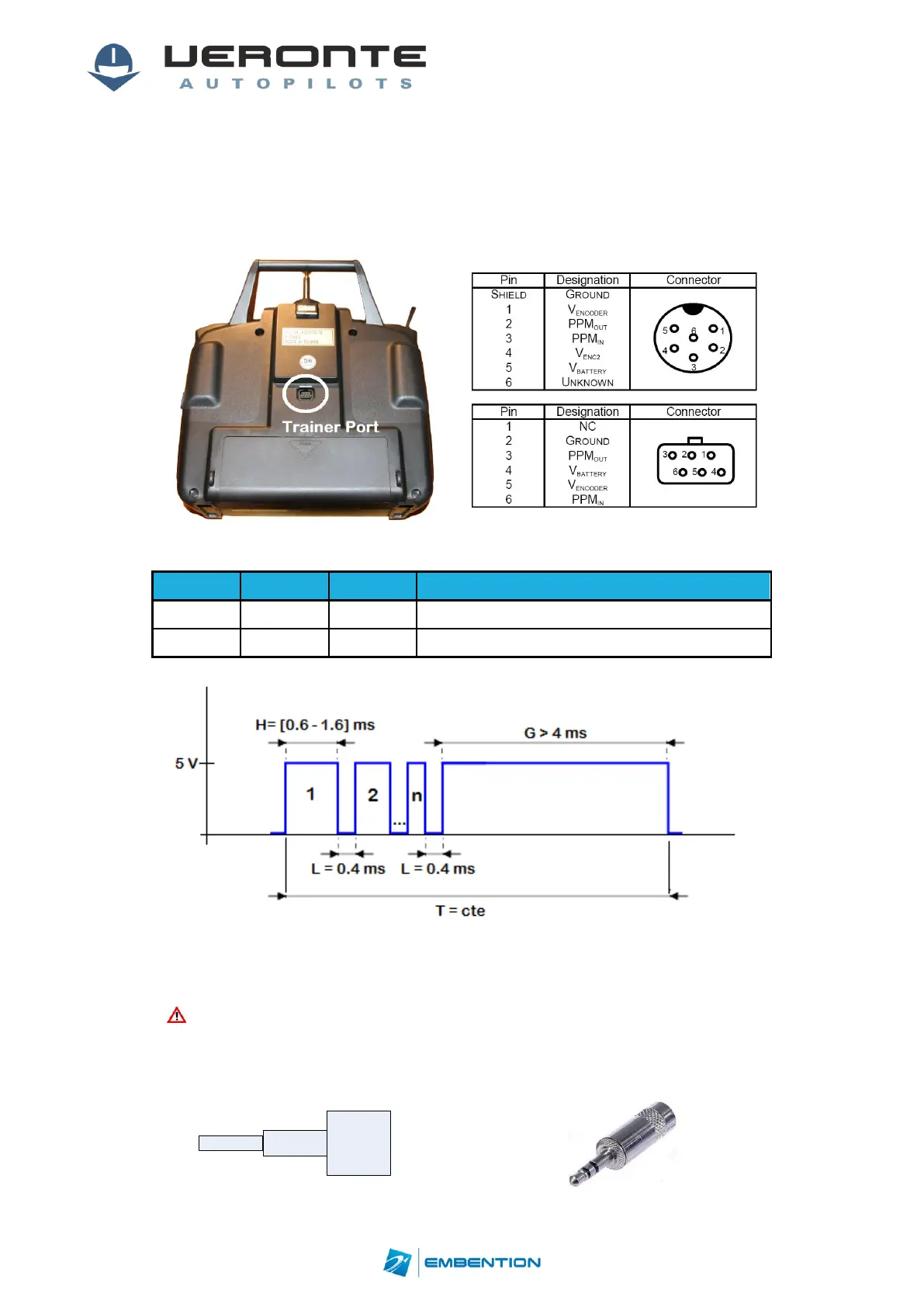
To connect the joystick to the system, use the DIGIN1port on Veronte Ground connected to
the radio trainer port.
Veronte is compatible with standard PPM signals, Futaba radios between 8 and 12 channels
are recommended.
Figure 11: Futaba Trainer Port
Table 9: Joystick Connect
Figure 12: PPM Signal
As default, channel 8 is reserved for manual / auto switch. High level is used for automatic
flight and low level for manual control. This channel can be configured on Veronte Pipe.
Caution!!PPM signal must be into the PPM ranges given with voltage above
4V. Some joysticks may need an adaptationboard, please ask our team to
check compatibility.
Micro D connector for CS is provided with 3.5mm stereo plug connector as follows:


 To Next Page