28
Blood Glucose Monitoring System
Setting up hypo (hypoglycemia) warning value
Step 3.
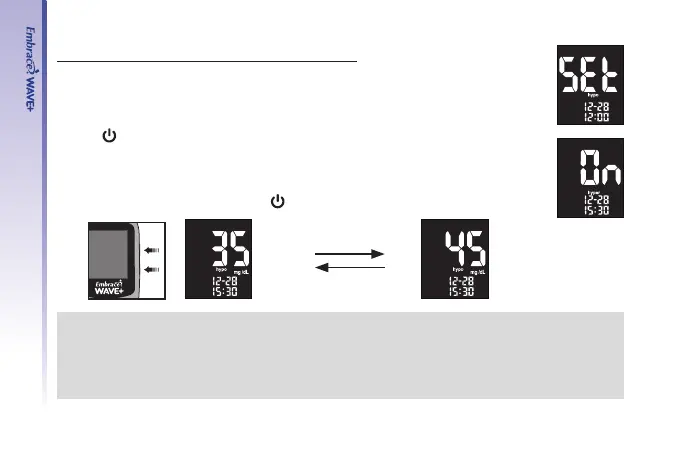
Press “▲“ or “▼“ until the meter display screen shows “hypo”.
Step 4.
Press “
” to enter Hypo setup. Use “▲” or “▼” to turn on/off hypo warning.
Step 5.
Press“▲“ or “▼“ to select the desired value. Press and hold either “▲“ or “▼“
will accelerate numbering. Press “
” to conrm and exit Hypo setup.
NOTE:
Default blood glucose threshold value setting and setting ranges are described below:
Hypoglycemia warning
Factory Default: 70mg/dL
Setting Range 20~179mg/dL
UP
Down
(example)(example)



 To Next Page