29
Blood Glucose Monitoring System
Setting up hyper (hyperglycemia) warning value
Step 3.
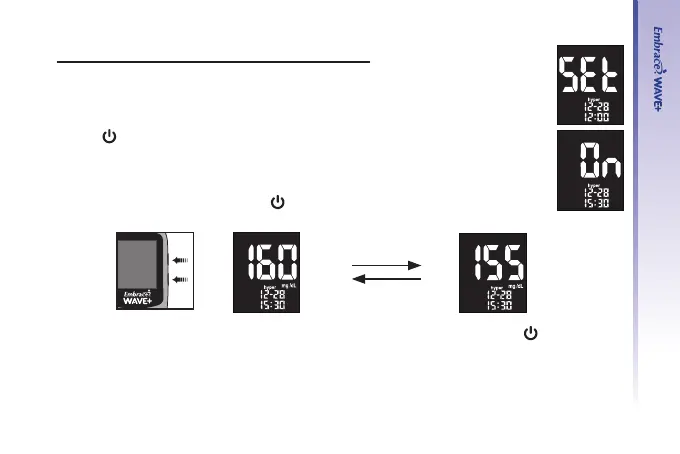
Press “▲” or “▼” until the main display screen shows “hyper”.
Step 4.
Press “
” to enter Hyper setup. Use “▲” or “▼” to turn on/off hyper warning.
Step 5.
Press “▲” or “▼” to select the desired value. Press and hold either “▲” or “▼”
will accelerate numbering. Press “
” to conrm and exit Hyper setup.
After setting up the Hypo and Hyper values, you can either press and hold “
” to turn off
the meter, or insert a test strip to begin testing (see Testing Your Blood Glucose on page 38,
or Control Solution Testing on page 31 ).
UP
Down
(example)(example)



 To Next Page