45
Blood Glucose Monitoring System
• Alternative site testing should be performed only during steady-state (when glucose is
not changing rapidly).
TIP:
• Gently massage your hand and nger toward the puncture site to form a drop of blood
(approximately: ). Do not “milk” or squeeze around the puncture site.
• Lance the side of your ngertip to avoid soreness. To avoid calluses, choose a different
lancing site each time.
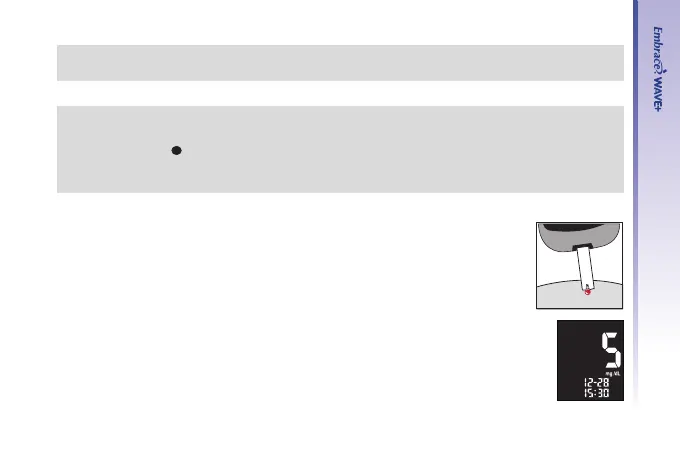
Step 4.
At a slight angle, gently bring the test strip tip-application area to the blood
drop allowing the test strips to draw the sample in. Hold the the test strip
application area on the blood drop until the meter beeps which indicates
that the test strip has received a sufcient sample.
Step 5.
The screen will start to count down. After 5 seconds, your glucose testing
result will appear on the meter display screen.



 To Next Page