55
Blood Glucose Monitoring System
Step 3.
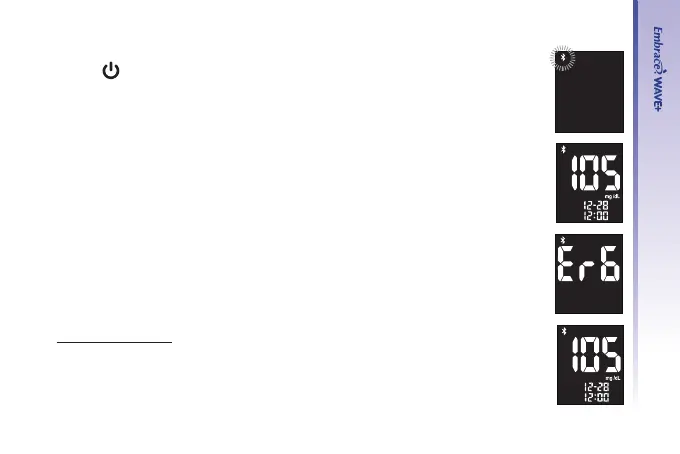
Press “
” to pair with your mobile device
Step 4.
• When pairing is complete, the Bluetooth icon will stop ashing.
Then the meter’s screen will show the blood glucose testing result.
• If pairing fails, Er6 is displayed on the screen of the meter. See page 68 to
solve problems.
BLE transmission
Step 5.
• Meter will start sending data to mobile device.



 To Next Page