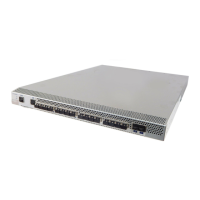
EMC Connectrix B Series DS-300B Hardware Reference Manual
3
Preface
Chapter 1 Introducing the Connectrix DS-300B
Connectrix DS-300B overview ........................................................ 14
DS-300B features ............................................................................... 15
Port side of the DS-300B................................................................... 16
Nonport side of the DS-300B........................................................... 17
Supported fabric configurations..................................................... 18
Ports on demand license .................................................................. 19
ISL trunking groups.......................................................................... 20
Chapter 2 Installing and Configuring the DS-300B
Items included with the DS-300B ................................................... 22
Installation and safety considerations ........................................... 23
Electrical considerations ............................................................23
Environmental considerations..................................................23
Cabinet considerations...............................................................24
Items required for installation ..................................................24
Installing a standalone DS-300B ..................................................... 25
Installing a DS-300B into an EIA cabinet....................................... 26
Recommendations for cable management .................................... 27
Configuring the DS-300B ................................................................. 28
Using EZSwitch Setup (optional).............................................28
Providing power to the switch .................................................28
Creating a serial connection......................................................29
Setting the switch IP address ....................................................29
Setting the date and time...........................................................30
Contents


 To Next Page