6.2 BLOCKING INCOMING
CALLS AND MESSAGES
To avoid being disturbed during a ses-
sion, put the phone or tablet in Airplane
mode. This will prevent incoming calls
or notications during a session. Don’t
forget to turn Bluetooth ON again.
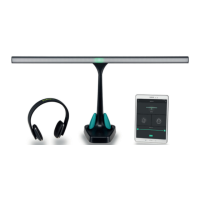
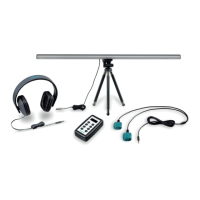
6.3 USING MULTIPLE EMDR KITS
IN ONE LOCATION
There are a number of things to keep in
mind when using multiple EMDR Kits
in one location.
1. Ensure the parts are disconnected or
that the app is exited properly at the
end of a session or at the end of the
day. This ensures that a colleague
who wants to use the EMDR Kit after
you can connect his/her phone to it.
2. Always reset the existing connections
when you start work with a dierent
EMDR Kit or when you change your
location. To do this, use the options
in the connection menu (for connect-
ing, see Chapter 3). This ensures that
the correct parts are connected to
the correct EMDR Kit.
3. If the EMDR Kit is set up correctly for
connecting, always select the three
parts with the strongest Bluetooth
signal. This prevents connecting to a
Light Tube or Pulsator from another
EMDR Kit.
4. With multiple EMDR Kits, it is recom-
mended to keep one phone or tablet
per set.
5. Each part has a unique code. In the
connection menu, you can see the
unique codes for each part. You could
write these down so you know which
parts to connect. Such a code might
look like this: E0:0A:47:82:79:EE
6.4 USAGE ADVICE
Only use the chargers that were pro-
vided and do not manipulate/modify
the adapters in any way.
This product is designed for trained
EMDR therapists and should only be
used by EMDR therapists. The EMDR
Kit is not designed to be used as a
self-help tool
.
Keep the EMDR Kit out of reach from
children, except of course if it is used
by an EMDR therapist that is using it
to treat children.
If you want to transport the EMDR
Kit, use the EMDR Kit bag that can be
ordered on our website.
14


 To Next Page