Commander SK Getting Started Guide 21
Issue Number: 9 www.controltechniques.com
Safety information Rating data
Mechanical
installation
Electrical
installation
Keypad and
display
Parameters
Quick start
commissioning
Diagnostics Options
UL listing
information
5 Keypad and display
The keypad and display are used for the following:
• Displaying the operating status of the drive
• Displaying a fault or trip code
• Reading and changing parameter values
• Stopping, starting and resetting the drive
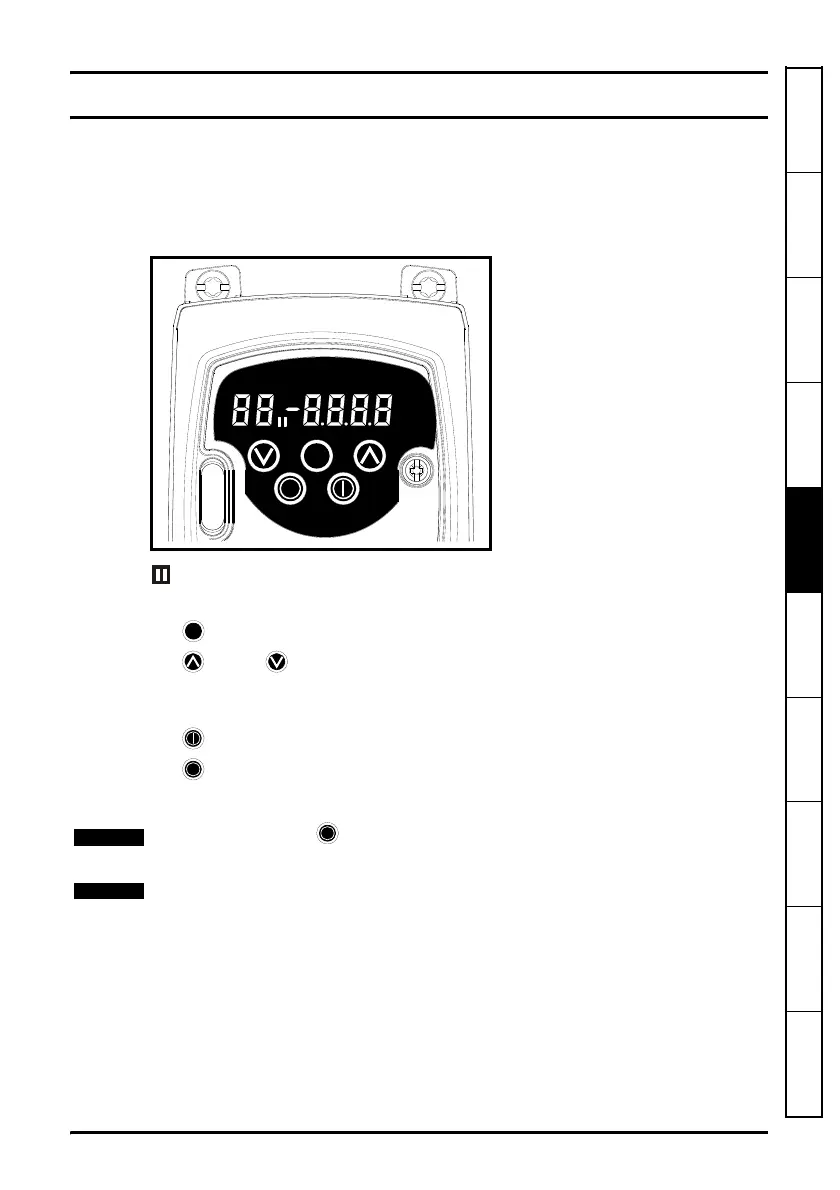
Figure 5-1 Keypad and display
on the display indicates if motor map 1 or 2 is selected.
5.1 Programming keys
The MODE key is used to change the mode of operation of the drive.
The UP and DOWN keys are used to select parameters and edit their values. In
keypad mode, they are used to increase and decrease the speed of the motor.
5.2 Control keys
The START key is used to start the drive in keypad mode.
The STOP/RESET key is used to stop and reset the drive in keypad mode. It can
also be used to reset the drive in terminal mode.
With USA defaults, the STOP/RESET key will be enabled.
It is possible to change parameter values more quickly. See Chapter 4 Keypad and
display in the Commander SK Advanced User Guide for details.




 To Next Page