Comfort where it counts 20 P/N 240008111, Rev. G [06/18/10]
WLCG/WLHG Controller Overview
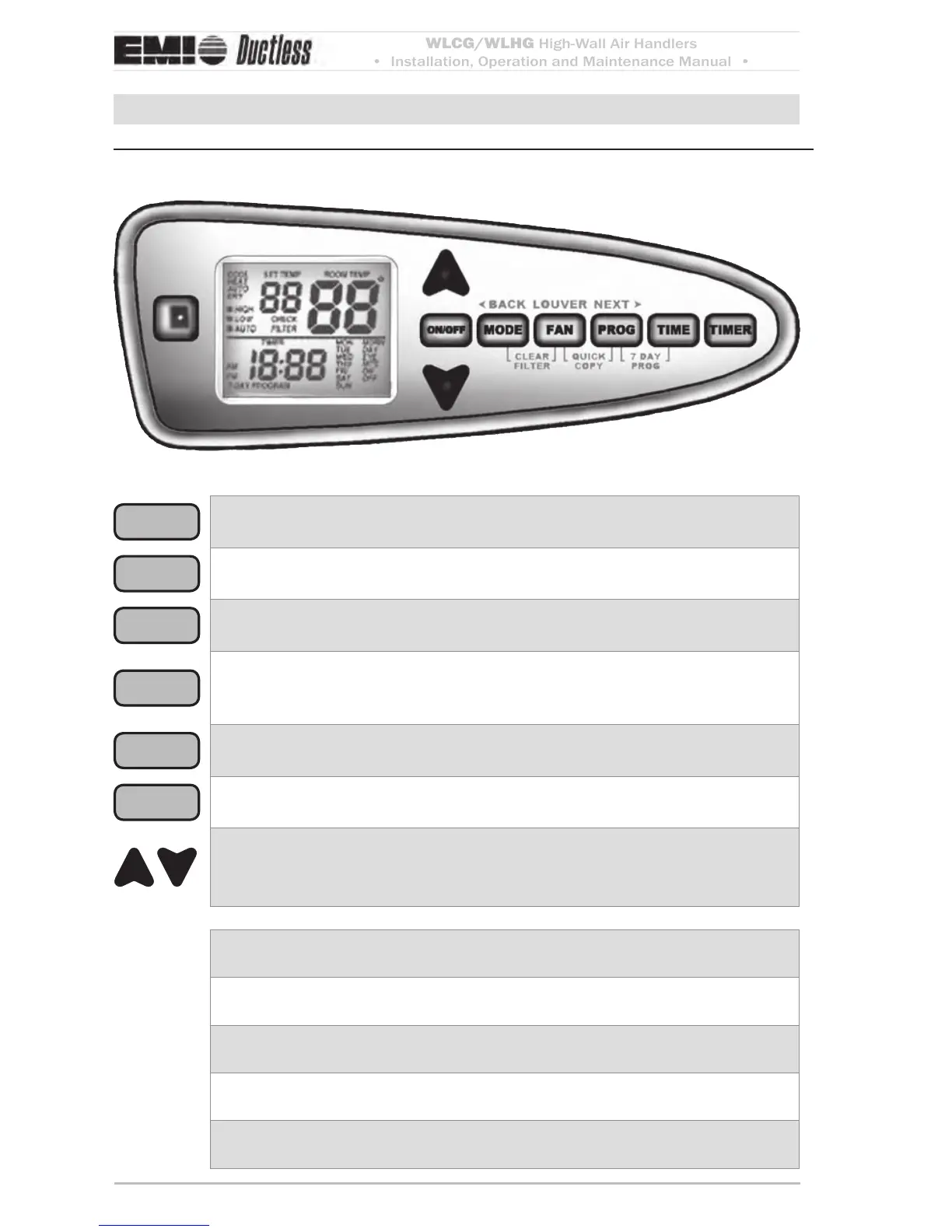
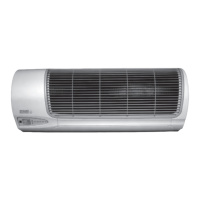
Ductless Series unit-mounted controller — chassis-mounted keypad/displayFigure 26
ON/OFF
Press to turn on or o.
MODE
Press to change operating mode toggles between Cool, Heat, Auto changeover,
Dry or Fan modes.
FAN
Press briey to toggle fan speed between High, Low and Auto.
Press and hold for three seconds to set louver position
(see Figure 29, Page 23).
PROG
During operation press to enter/exit pre-programmed mode (see Figure 29,
Page 23).
During conguration press to move backwards in menus.
TIME
With the unit ON, press and hold 3 seconds to enter time set mode sets current
time of day.
TIMER
With the unit ON, press to enter or exit sleep timer mode. In sleep timer mode, the
unit will operate for 30 minutes, then turn OFF. e display will show TIMER.
During operation use to increase or decrease the setpoint temperature.
During conguration, setup, etc. use to increase or decrease the seing.
Holding the buon will cause rapid change.
MODE + FAN
FILTER CHECK reset Press both buons and hold for 3 seconds to clear FILTER
CHECK
(see Figure 28, Page 22).
FAN + PROG
QUICK COPY Press both buons and hold for 3 seconds during 7-day program-
ming to copy the current day’s seings to all days
(see Figure 29, Page 23).
PROG + TIME
7-DAY PROGMMING Press both buons and hold for 3 seconds to enter
7-day programming mode
(see Figure 29, Page 23).
MODE + PROG
CONFIGUTION MODE Press both buons and hold for 10 seconds to enter
conguration mode
(see Figure 28, Page 22).
ON/OFF +
PROG + TIME
TEST MODE Press all three buons and hold for 3 seconds to enter test mode
(see Figure 29, Page 23).


 To Next Page