Comfort where it counts 40 P/N 240008111, Rev. G [06/18/10]
Q: e system has just been installed using
an EMI indoor unit and a non-EMI con-
denser. ere is no display and the unit will
not operate.
A: EMI air handlers are manufactured with
a low volt transformer installed. When con-
necting an EMI air handler to a non-EMI
condenser, check to ensure that there is no 24v
control transformer in the outdoor unit. Only
one transformer is required. If both the indoor
unit and outdoor unit contain a transformer,
one must be removed from the system.
Q: e condenser will not start although the
indoor unit appears normal. What should
I do?
A: At the indoor unit, make sure that the con-
trol is in cooling and the setpoint temperature
is below room temperature. Next, using a volt
meter, check for 24v across the yellow (Y) and
brown (C) wires. If 24v is present then check
for wiring breaks or improper connections
between the indoor and outdoor units.
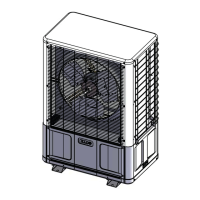
A: EMI condensers are equipped with a
manual reset high-pressure switch. It is located
on the rear panel above the service valves.
To reset, simply push the red buon in. If
the switch was tripped there will be a “click”
when it resets.
A: If the unit is equipped with a condensate
pump check to see if the safety oat has been
tripped. is can be done by rst disconnect-
ing both ends of the oat switch. en with
an Ohmmeter, check for continuity across the
switch. If the switch is open then the pump is
not clearing or the switch may be bad.
Q: e display on the indoor unit is blank.
What should I do?
A: Check the power supply (see “Power
supply check” Section). If the unit still fails to
turn on via the On/o buon then inspect the
control box for any apparent wires that may
have come loose during shipping. Also inspect
the circuit boards for burnt components. If no
obvious problem can be found then replace all
circuit boards including the unit keypad. Do
not aempt to trouble shoot the individual
circuit boards. Contact tech service 1-800-
228-9364
Q: e display tends to icker at times. Is
this normal?
A: A small amount of ickering of the display
is normal. Depending on the room lighting,
ickering may be noticeable at some times
more than others.
Q: How long will the fan run?
A: While the unit is in cooling or heating
and auto fan mode is selected, Fan speed will
be determined by the microprocessor and
speed adjustment will be made according to
room and setpoint temperatures. e fan will
switch to High speed when room tempera-
ture deviates by more than two degrees from
setpoint. e fan will switch to Low speed if
the deviation is one degree. When the room
temperature reaches setpoint temperature
the heat/cool call is dropped. e fan will
then stay on for an additional 60 seconds
to purge unit of any residual energy. If High
or Low is selected then the fan will operate
continuous regardless of set point or room
temperatures.
Frequently Asked Questions


 To Next Page