Buon interacons
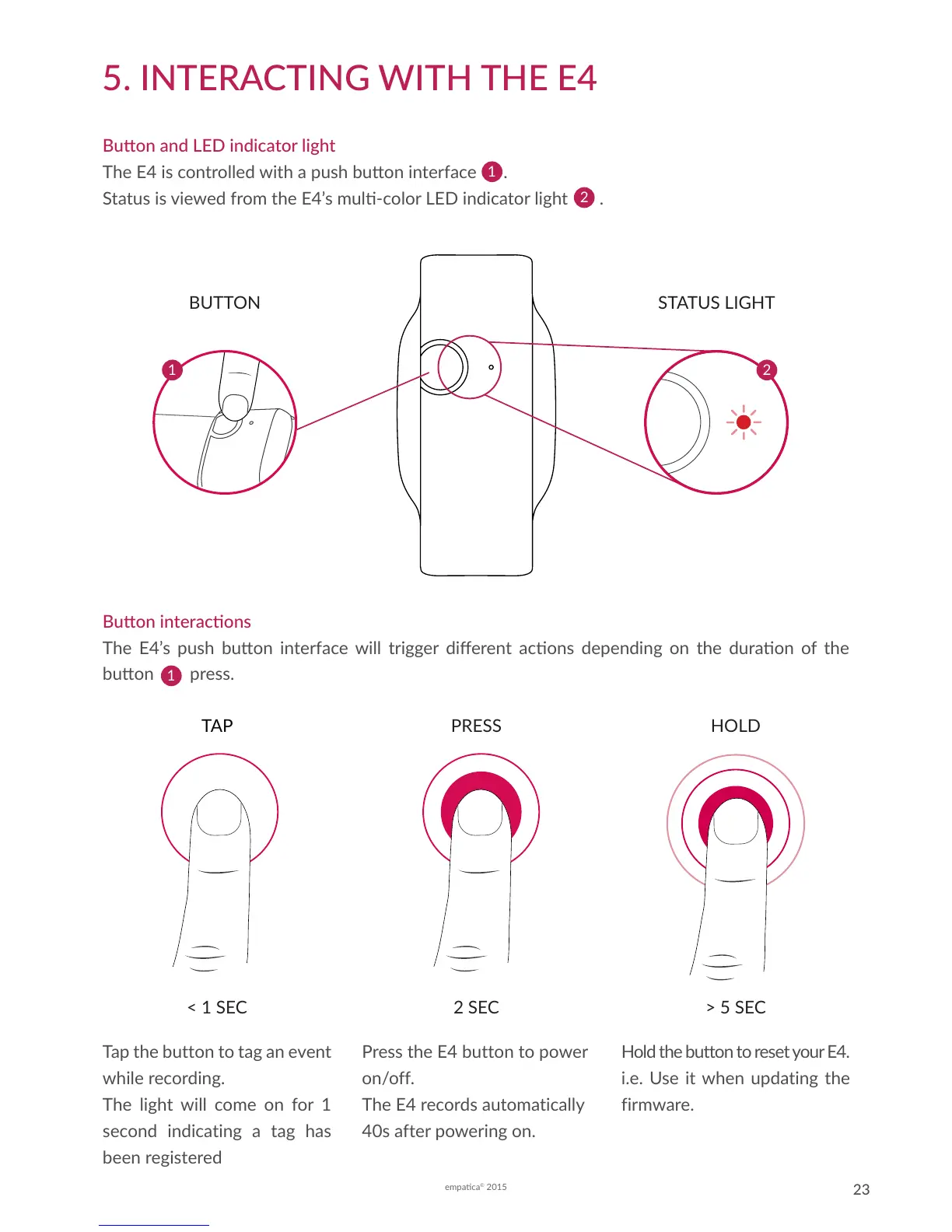
The E4’s push buon interface will trigger dierent acons depending on the duraon of the
buon press.
5. INTERACTING WITH THE E4
Buon and LED indicator light
The E4 is controlled with a push buon interface .
Status is viewed from the E4’s mul-color LED indicator light .
2
BUTTON
1
STATUS LIGHT
2
1
TAP PRESS
2 SEC< 1 SEC > 5 SEC
HOLD
Tap the button to tag an event
while recording.
The light will come on for 1
second indicating a tag has
been registered
Press the E4 button to power
on/off.
The E4 records automatically
40s after powering on.
Hold the button to reset your E4.
i.e. Use it when updating the
firmware.
1


 To Next Page