6. USING THE E4 WRISTBAND
Creang an Empaca Connect account
Working in streaming mode
Start streaming with the E4:
Create a Customer account on Empaca Connect to start using the E4.
1. Navigate to the Connect Login Page: hps://www.empaca.com/connect/
2. Click on the “Create Account” tab.
3. Fill in all the required elds and then press the “Create Account” buon.
4. A conrmaon email will be sent to the address provided. Follow the instrucons in the email
to acvate the account before you aempt to login.
Install the Realme app on your Bluetooth(R) Smart ready iOS or Android device (search for
“Empaca Realme” in Google Play or the App Store).
Once installed, connect the E4 with a mobile device using Empaca Realme app to:
• View sensor data in Realme.
• Easily zoom and pan to check your signals.
• Automacally upload data to your Empaca Connect account aer a session ends.
ACTION WHAT TO DO WHAT YOU SEE
Prepare your
phone
Make sure Bluetooth® is enabled on your compable device.
Launch Realme
App
Open the App on your mobile device and login using your Empaca
account.
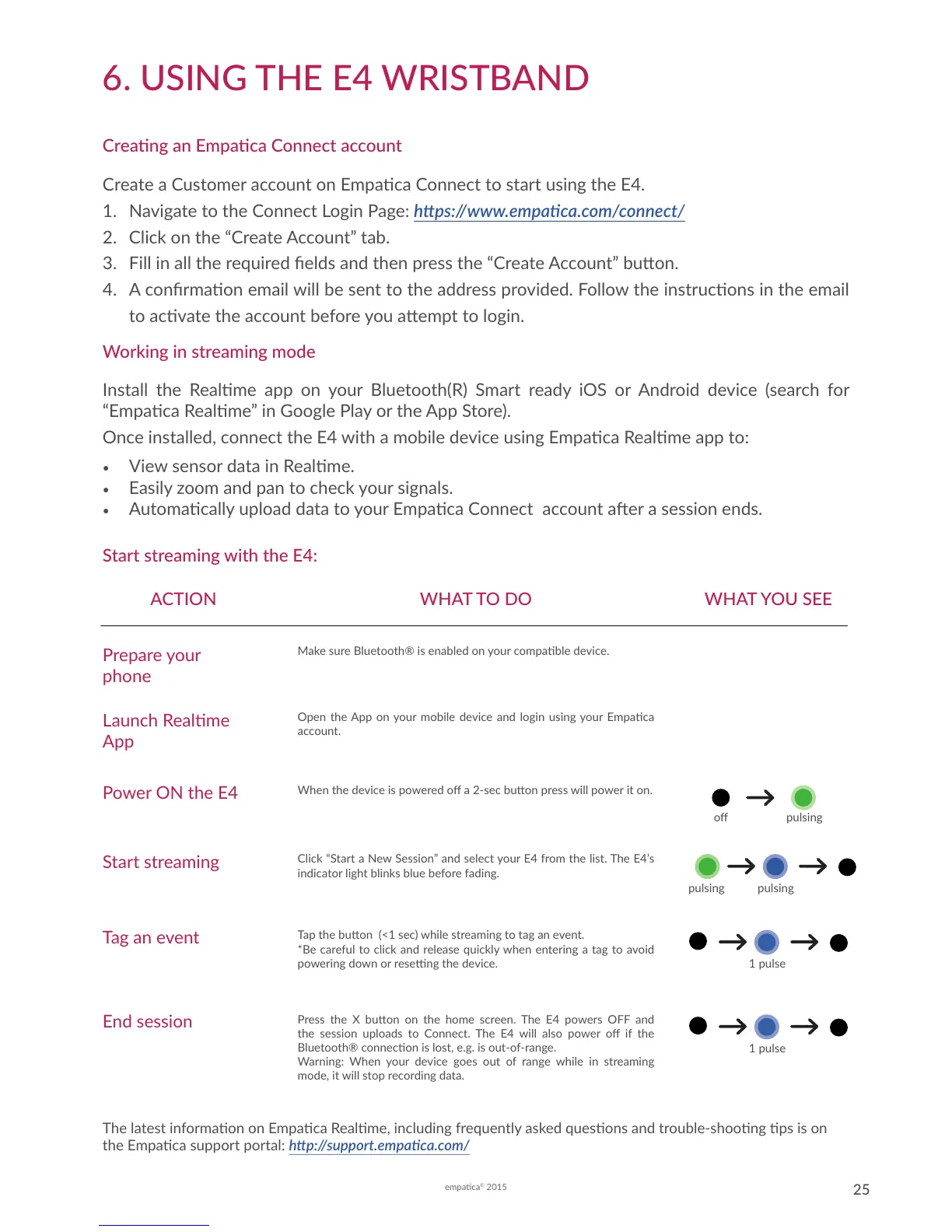
Power ON the E4
When the device is powered o a 2-sec buon press will power it on.
o pulsing
Click “Start a New Session” and select your E4 from the list. The E4’s
indicator light blinks blue before fading.
Start streaming
pulsing pulsing
Tap the buon (<1 sec) while streaming to tag an event.
*Be careful to click and release quickly when entering a tag to avoid
powering down or reseng the device.
Press the X buon on the home screen. The E4 powers OFF and
the session uploads to Connect. The E4 will also power o if the
Bluetooth® connecon is lost, e.g. is out-of-range.
Warning: When your device goes out of range while in streaming
mode, it will stop recording data.
Tag an event
End session
1 pulse
1 pulse
The latest informaon on Empaca Realme, including frequently asked quesons and trouble-shoong ps is on
the Empaca support portal: hp://support.empaca.com/


 To Next Page