Continuum User’s Manual 17
Directions for Use (Patient)
Other Features
Changing the Batteries
Change BOTH of the AA batteries when:
•The low battery indicator is visible on the LCD
•The Low Battery message displays
•If the device will not turn on.
Turn off the device to replace batteries. Open the battery door by placing
your thumb on the notch and the bottom back side of the unit and pushing
up while pulling out. When replacing the batteries, be sure the battery
polarity (+ and -) markings match the markings on the device. Use AA
alkaline or rechargeable NiMH batteries. The life of the battery is dependent
on the program and amplitude (intensity) being used. The battery use
indicater may not show 100% power when a fully charged rechargable
battery is used; but the battery life is still full.
NOTE: Do not overcharge batteries. Batteries should remain in the
charger for the recommended time. Remove the batteries from
the charger once charge is complete. See the Instruction for Use
for the battery charger for recommended charging time.
To Replace the Battery Cover
1. Insert the small lip at the base of the cover.
2. Insert the top of the cover and press until it clicks securely in place.
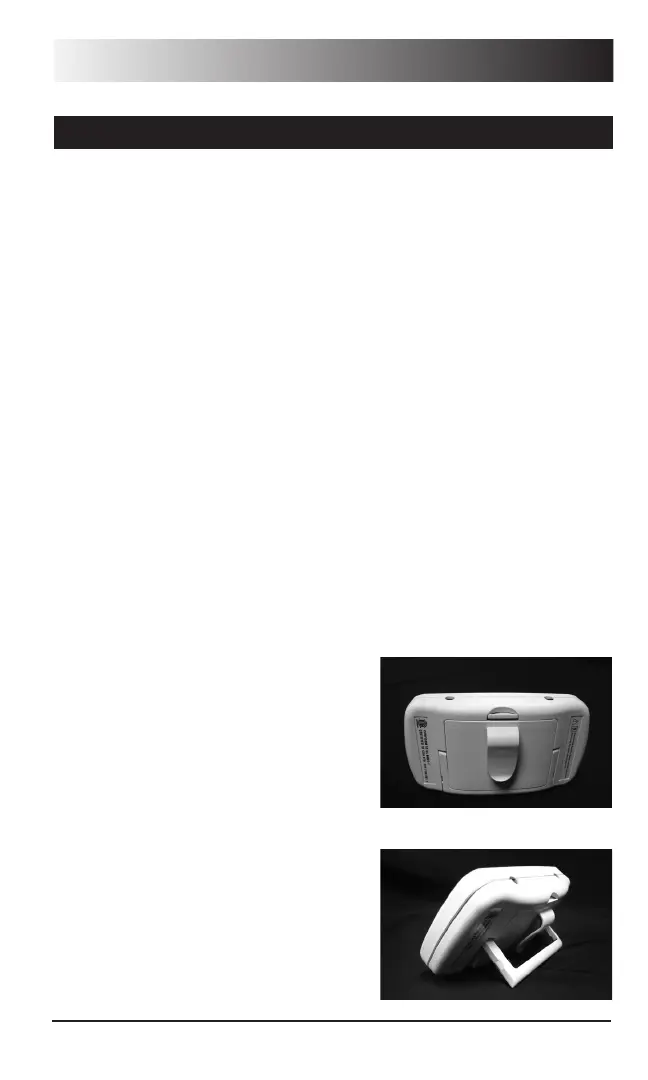
Using the Belt Clip
Empi Continuum has a simple belt
clip that fits comfortably over a belt or
waistband. To attach the belt clip, simply
face the back of the device toward you
and slide the device, with a gentle pull of
the clip tab. When in place, you should feel
a slight tension holding it in place.
Using the Kick Stand
Empi Continuum has a simple, pull-out
Kick Stand for use in patient monitoring.
To use the kick stand, turn the device to
the back side. Placing your finger on the
recessed tab, pull the stand out for use.


 To Next Page