Continuum User’s Manual 13
Directions for Use (Patient)
Getting Started
Your kit may include:
•AA Batteries
•Belt Clip
•Carrying Case
•Electrodes and Touch proof Lead Wires Note: Your electrodes have been
specified by your clinician as part of the prescription.
•Empi Continuum Device
•Battery charger and instructions for use
•Instruction Manual
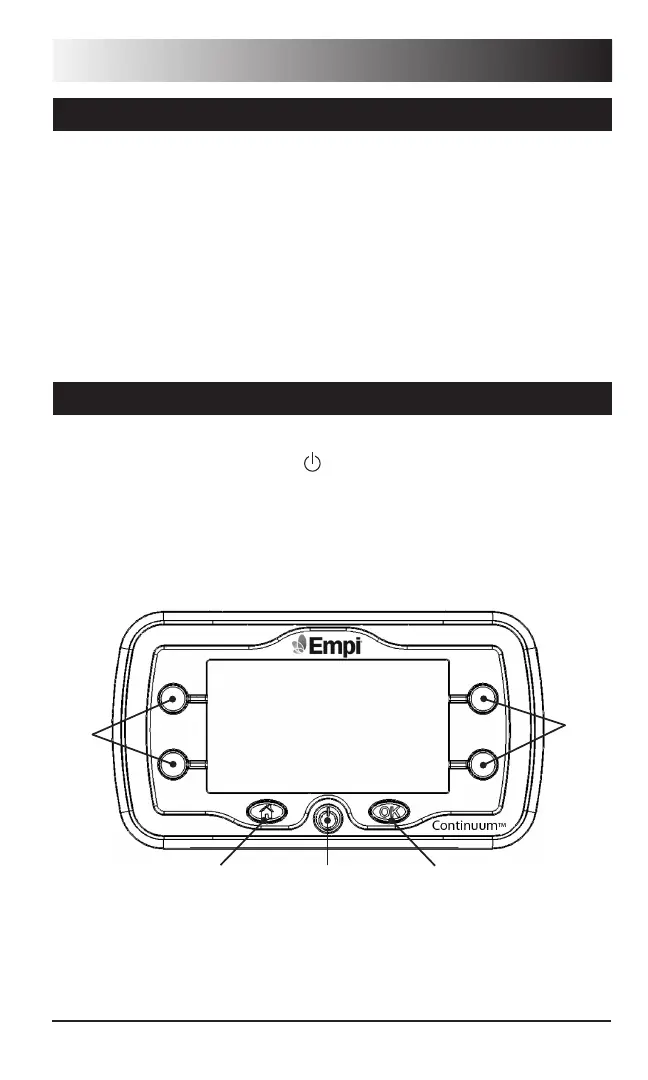
Using the Front Panel
Before you use the device, you should be familiar with the location of the
Soft Key control buttons, ON/OFF ( ) button, OK button and the Home
button.
Simple Operational Procedure Steps
The front panel should appear as shown below.
On/OHome OK
Soft
Keys
Soft
Keys


 To Next Page