14 Continuum User’s Manual
Directions for Use (Patient)
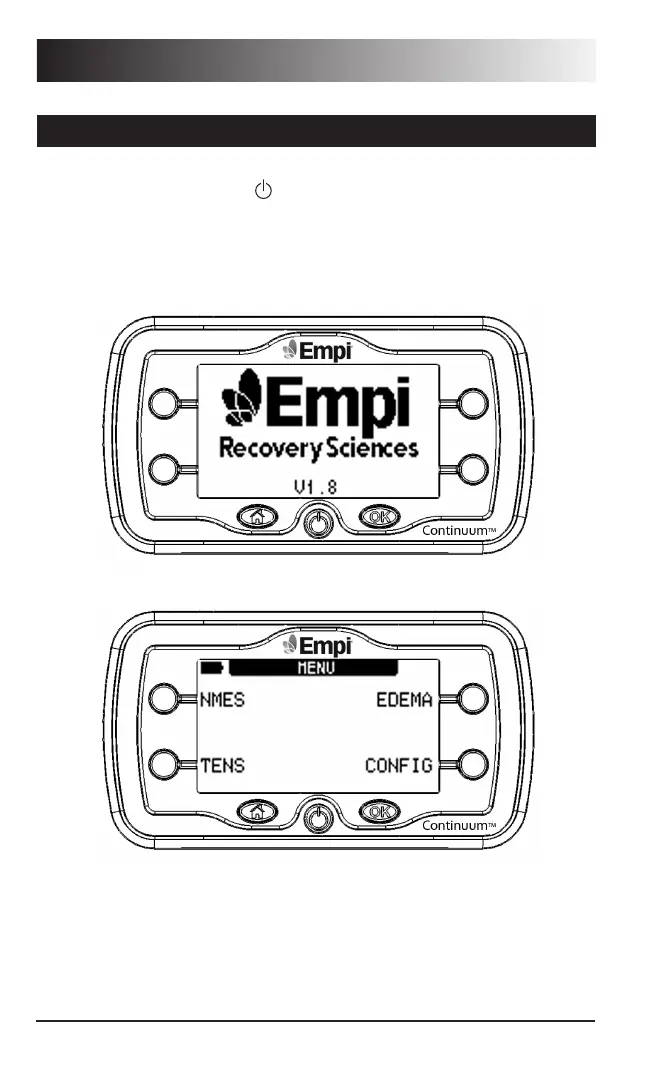
1. Press the ON/ OFF button ( ) located on the bottom row, middle button.
You should first see the Empi logo along with software version number
displayed on the LCD for four seconds before displaying a therapy options
menu as seen below. The device is now ready to function.
Using the Front Panel (continued)


 To Next Page