Continuum User’s Manual 15
Directions for Use (Patient)
Using the Front Panel (continued)
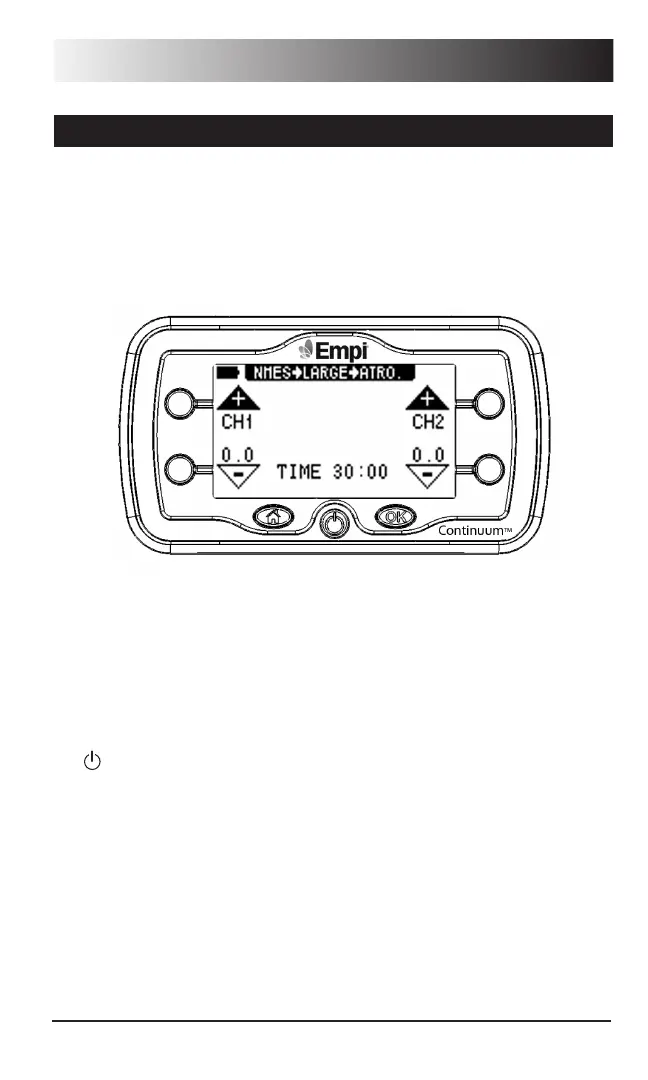
2. If your unit has previously been configured for operation by a clinician,
selecting one of the options (NMES, TENS or Edema) will display the
“In-Progress” screen on the LCD as shown below. For instructions on
programming your unit, see “Product Information (Clinician)” on page 20.
For specific therapy settings, contact your clinician.
3. Press the soft key next to the Channel 1 UP arrow. This will ramp up
the level of stimulation for Channel 1. You should see a dot next to the
channel output on the LCD screen when output is active.
4. Repeat this procedure for channel 2 on the right if using two channels.
You can only ramp intensity on an active channel and can only ramp one
channel at a time.
5. If the device has operated as expected, turn it off by pressing the ON/OFF
( ) button located on the bottom row, middle button.
6. If the LCD does not display any information at startup, check the battery
compartment. If the batteries have not been inserted, see the “Changing
the Batteries” on page 17. If the batteries have been inserted, change
batteries.
7. If after changing batteries, the device still does not respond, refer to the
Troubleshooting guide on page 47.


 To Next Page