Continuum User’s Manual 37
Using the Foot Switch
The Empi Continuum unit has the ability to use a foot switch for gait training.
The Foot Switch must be plugged in so that the unit recognizes that a gait
treatment is wanted. Otherwise, a normal Large Muscle, Custom treatment is
performed. To do this, the following steps are to be applied:
1. Press the ON button to turn on the device.
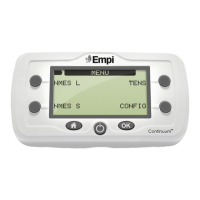
2. Once the main Options menu is displayed, choose the NMES option.
3. Choose the “LARGE MUSCLE” option.
4. Choose the “CUSTOM” option.
5. Modify adjustable regimen parameters as needed and then press the
“OK” button.
6. Plug the Foot Switch into the remote jack in the unit.
7. Increase intensity. For Channel 1, the unit will output a waveform as the
foot is lifted up, and stop its output as the foot is down. For Channel 2,
the output will behave according to the selected switch working mode.
Using the Hand Switch
The Empi Continuum unit has the ability to use a hand switch for user
activated stimulation. The Hand Switch must be plugged in so that the unit
recognizes that gait treatment is wanted. Otherwise, a normal Small Muscle,
Custom treatment is performed. To do this, the following steps are to be
applied:
1. Press the ON button to turn on the device.
2. Once the main Options menu is displayed, choose the NMES option.
3. Choose the “SMALL MUSCLE” option.
4. Choose the “CUSTOM” option.
5. Modify regimen parameters as needed and then press the “OK” button.
6. Plug the Hand Switch into the remote jack in the unit.
7. Increase intensity. For Channel 1, the unit will output a waveform as
the hand switch is pressed, and stop its output as the hand switch is
depressed. For Channel 2, the output will behave according to the
selected switch working mode.
Both switches should be used with the custom programs, not with the pre-
set therapies.
Product Information (Clinician)


 To Next Page