36 Continuum User’s Manual
Changing the Contrast
The Empi Continuum has the ability to modify the contrast setting of the LCD
screen to immediately fit the needs of the patient or the clinician. When the
clinician needs to alter the contrast of the unit, the following steps are to be
applied:
1. Press the ON button to turn on the device.
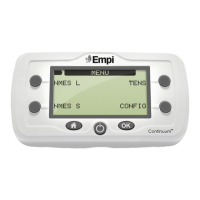
2. Once the main Options menu is displayed, choose “CONFIG” option.
3. Choose the “SETTINGS” option.
4. Use the right side soft keys to scroll to the “Contrast” setting to where it
needs to be.
Product Information (Clinician)
Changing the Switch Working Mode
The EMPI Continuum has the ability to modify the working mode of an
attached Hand or Foot switch. Available options are “Simultaneous” or
“Alternated”.
•In “Simutaneous” mode, both channel 1 and 2 will work simultaneously.
•In “Alternated” mode, channel 1 and 2 will work alternately
To access this setting, the following steps are to be applied:
1. Press the ON button to turn on the device.
2. Once the main Options menu is displayed, choose “CONFIG” option.
3. Choose the “SETTINGS” option.
4. Use the lower left soft key to scroll to the “SWITCH” option.
5. Use the right side soft keys to select the switch working mode
6. Press the home screen button.
7. Notice that if a switch is plugged in, an icon will be shown in the upper
right corner of the display.


 To Next Page