10
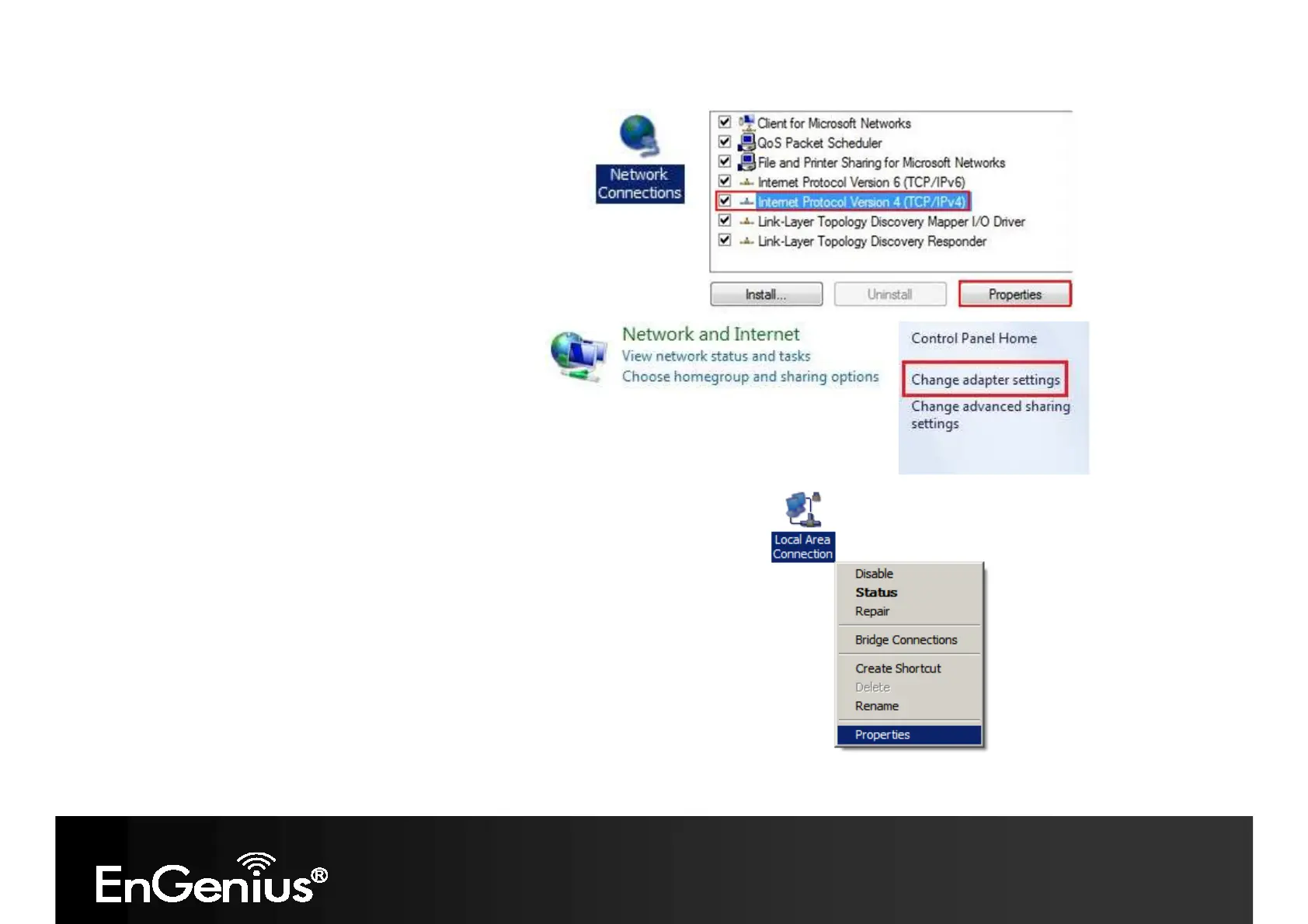
In Windows XP, click Network Connections
In Windows 7, click View Network Status and Tasks in the
Network and Internet section, then select Change adapter
settings
Right click on Local Area Connection and select Properties
Select “Internet Protocol Version 4 (TCP/IPv4)” and select Properties














 To Next Page