37
6.2 LAN Settings
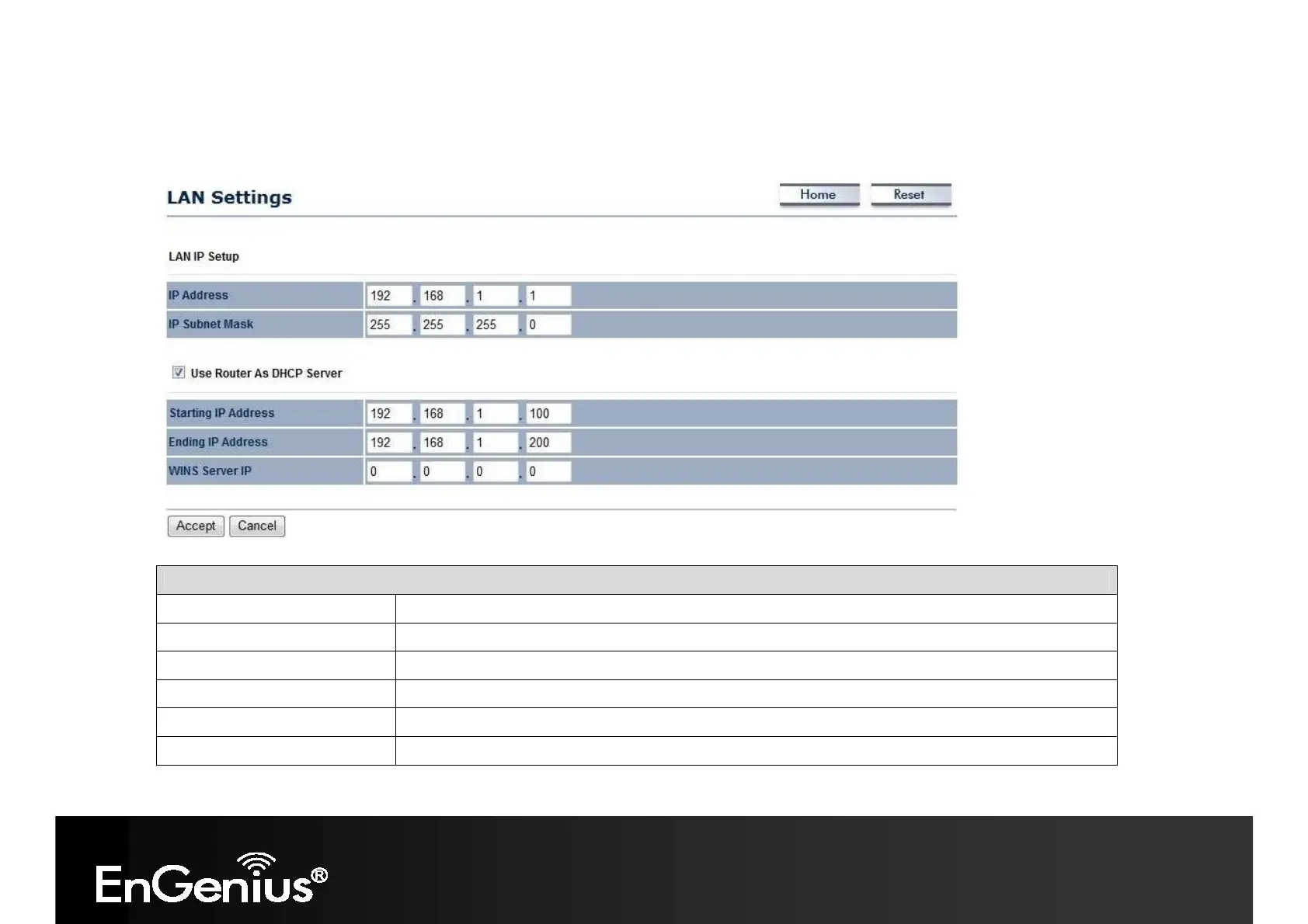
This page allows you to modify the device's LAN settings.
LAN Settings
IP Address
The LAN IP Address of this device.
IP Subnet Mask
The LAN Subnet Mask of this device.
Use Router As DHCP Server
Check this option to enable the internal DHCP server.
Starting /Ending IP Address
The range of IP addresses of the DHCP server will allocate to LAN device.
WINS Server IP
Enter the IP address of the WINS server.
Accept / Cancel Click Accept to confirm the changes or Cancel to cancel and return previous settings.














 To Next Page