50
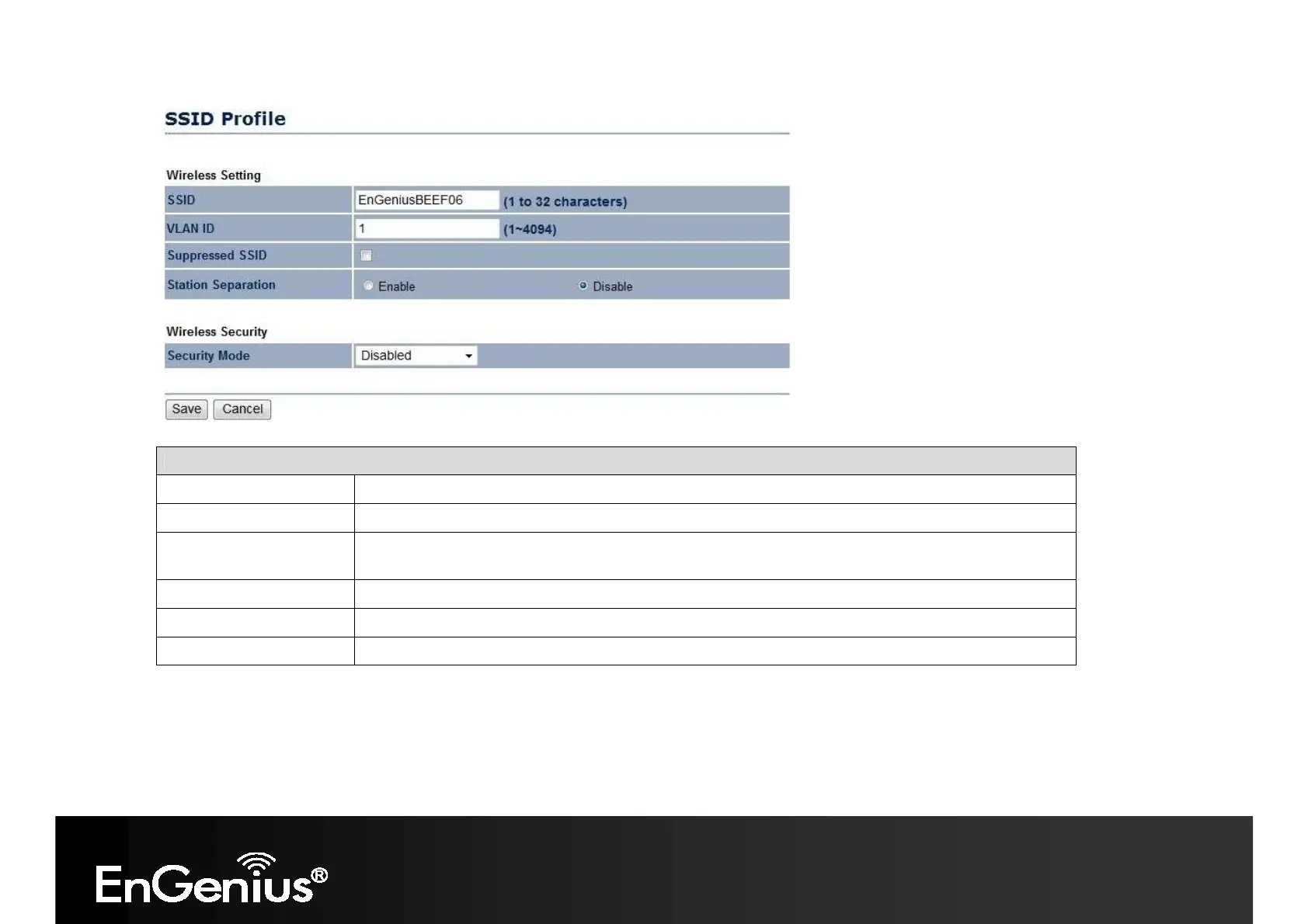
SSID Profile
SSID
Specify the SSID for the current profile.
VLAN ID
Specify the VLAN tag for the current profile.
Suppressed SSID
Check this option to hide the SSID from clients. If checked, the SSID will not appear in the site
survey.
Station Separation
Click the appropriate radio button to allow or prevent communication between client devices.
Wireless Security
See the Wireless Security section.
Save / Cancel Click [Save] to accept the changes or [Cancel] to cancel and return previous settings.
Client Bridge / Client Router / WDS Station / Repeater mode:














 To Next Page