57
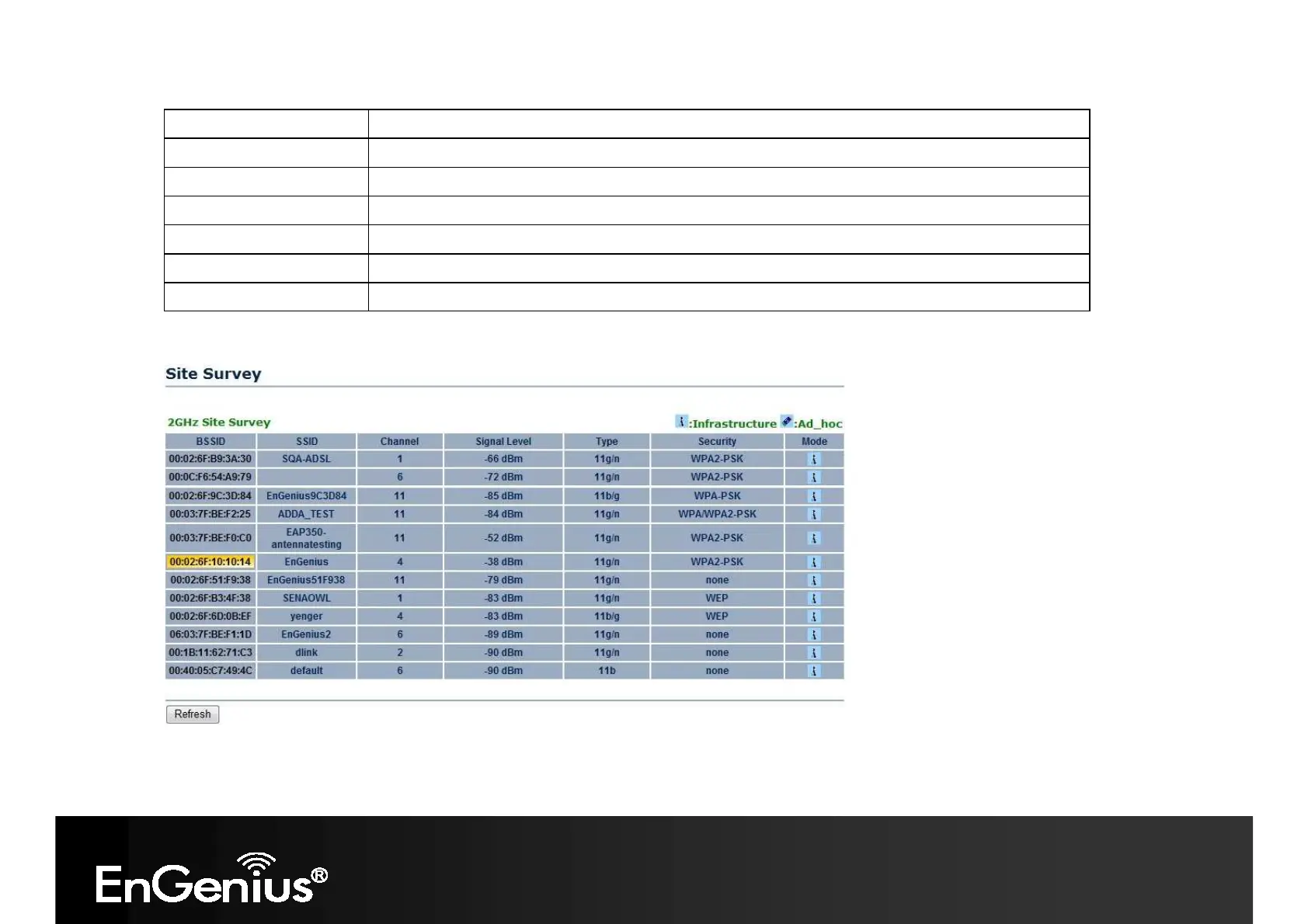
BSSID
Access Point's wireless MAC address.
SSID
SSID that the Access Point is broadcasting.
Channel Channel that the Access Point is using.
Signal Level (dBm)
Signal strength from the Access Point to your station.
Type
The band that the Access Point is using.
Security
Encryption method that the Access Point is using to secure data over the WLAN.
Refresh Click Refresh to rescan nearby Access Point.
4. Select an Access Point and click that Access Point’s BSSID.
5. Enter the correct security setting.














 To Next Page