59
Wireless Advanced
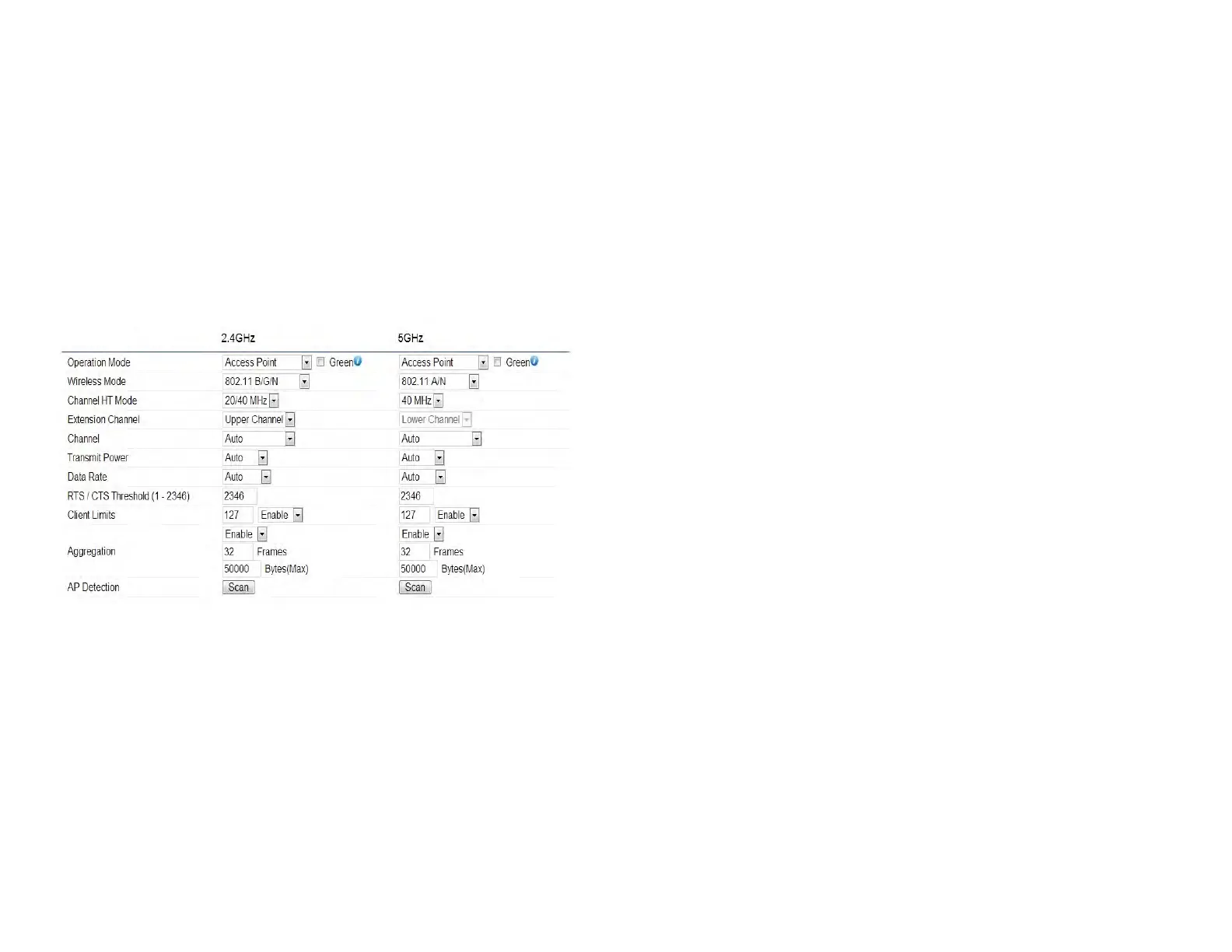
This page allows you to congure advanced wireless
settings for the EWS550AP/EWS510AP/EWS511AP. It is
recommended that the default settings are used unless
the user has experience with more advanced networking
features.
2.4 GHz/5 GHz Wireless Advanced
Data Rate: Select a data rate from the drop-down list. The
data rate affects throughput of data in the EAP1750H.
The lower the data rate, the lower the throughput, though
transmission distance will be lowered as well.
Transmit Power: Sets the power output of the wireless
signal.
RTS/CTS Threshold: Species the threshold package size
for RTC/CTS. A smaller number causes RTS/CTS packets to
be sent more often and in turn consumes more bandwidth.
Distance: Species the distance between Access Points
and clients. Longer distances may drop high-speed
connections.
Aggregation: Merges data packets into one packet. This
option reduces the number of packets, but increases packet
sizes.
Save: Click Save to conrm the changes.



 To Next Page