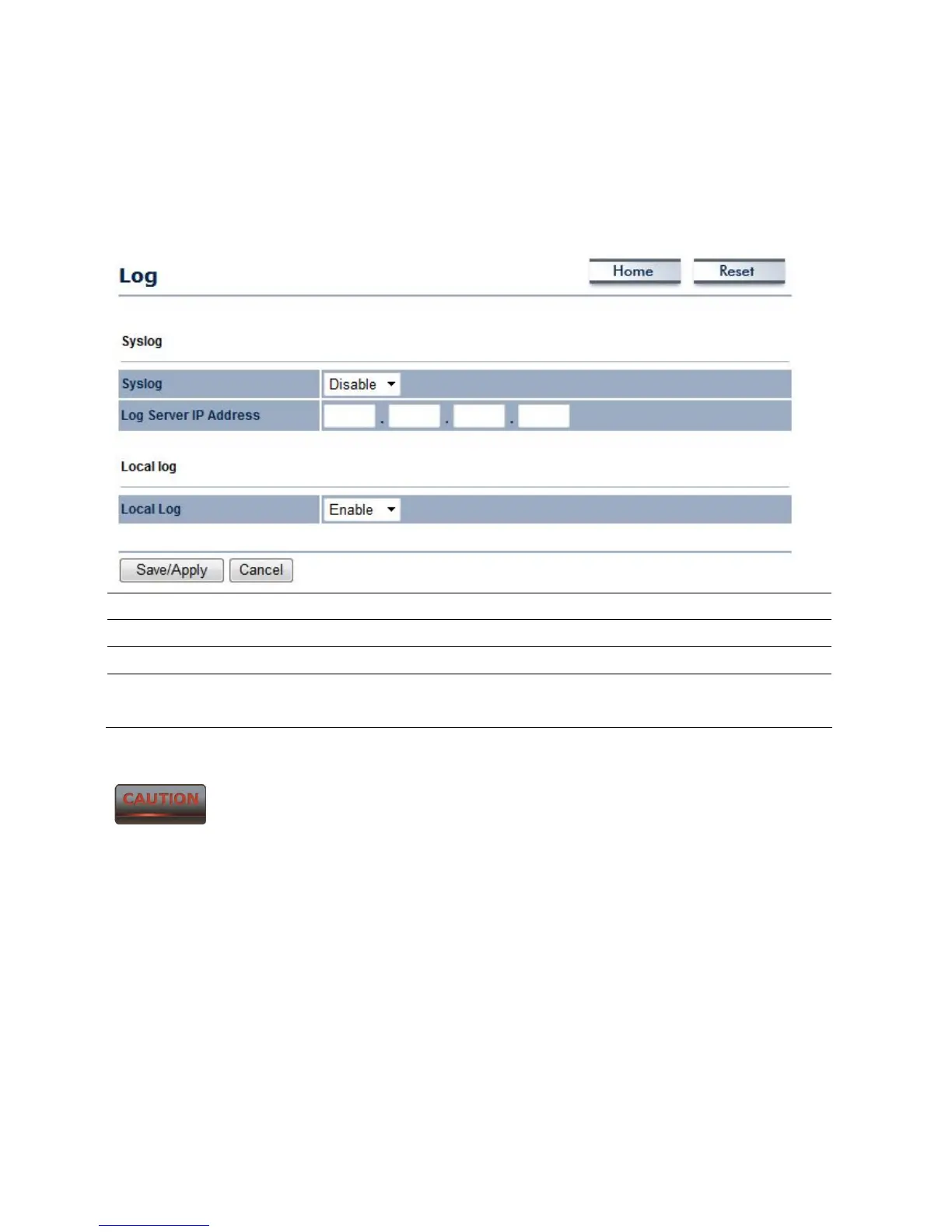
11.7 Log
Click on the Log link under the Management menu. This page displays a list of events that
are triggered on the Ethernet and Wireless interface. This log can be referred to when an error
occurs on the system or when a report needs to be sent to the technical support department
for debugging purposes.
Syslog Select Enable or Disable Syslog function from the drop down list.
Log Server IP Address Specify the Log Server IP address.
Local Log Select Enable or Disable Local Log service.
Save/Apply / Cancel Press Save / Apply to confirm the changes or Cancel to return
previous settings.
Pressing Save / Apply will change the settings immediately. It is not
reversible unless the settings are changed again or the device is reset.













 To Next Page