BASIC NETWORK SETTINGS VIEWING SYSTEM INFORMATION
4-2
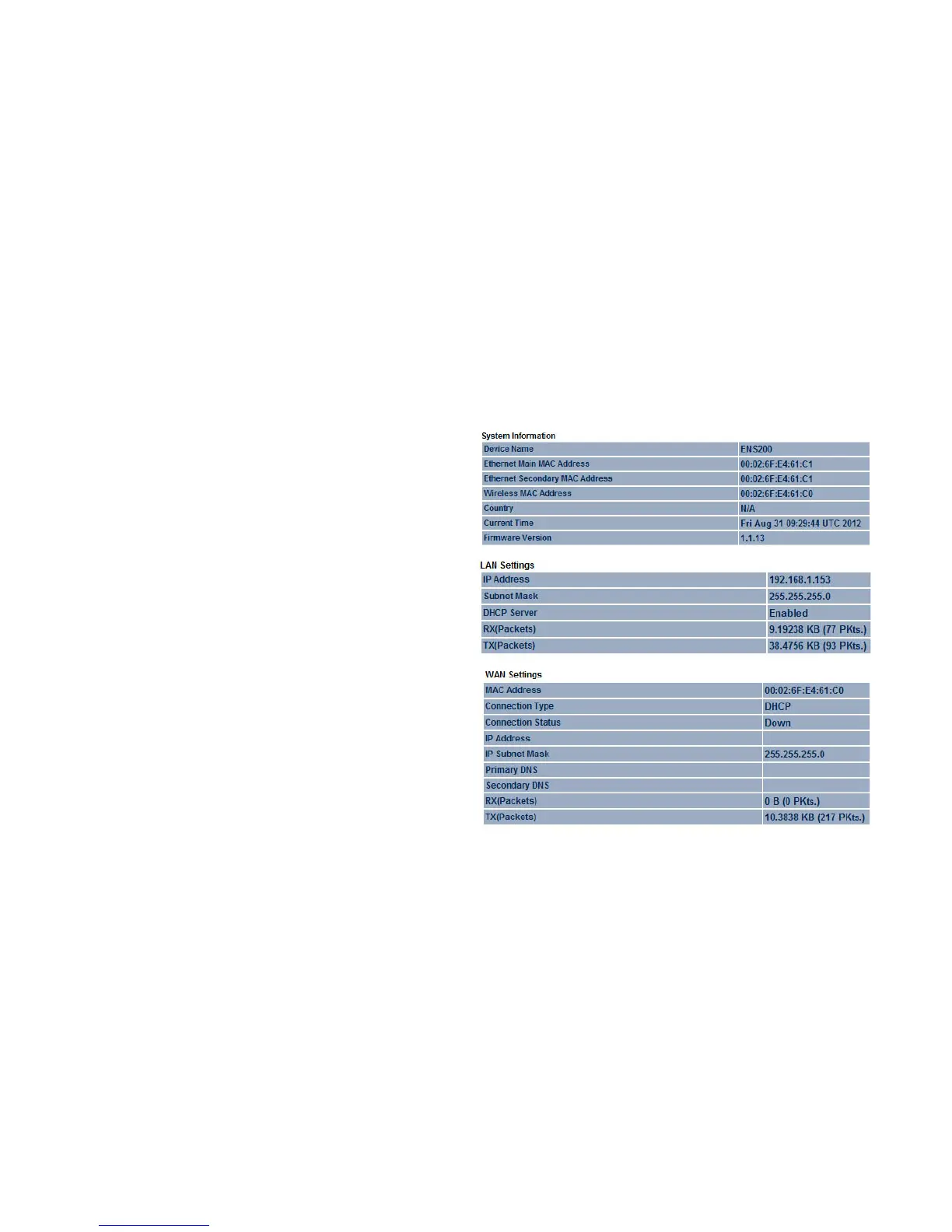
4.1.2 Viewing System Information
Displays status information about the current operating mode.
System Information shows the general system information
such as operating mode, system up time, firmware version, serial
number, kernel version, and application version.
LAN Settings shows Local Area Network settings such as the
LAN IP address, subnet mask, and MAC address.
WAN Settings shows Wide Area Network settings such as the
MAC address, connection type, connection status, LAN IP
address, subnet mask, primary and secondary DNS.













 To Next Page